


Video content has become an important part of how people learn, communicate, and access information online. However, watching everything through a browser or streaming platform is not always convenient. Users may want to save educational videos, keep useful tutorials available offline, extract audio for personal projects, or download subtitles for easier reference.
This is where desktop video downloaders such as SurFast Video Downloader come into the picture. The software is designed to help users download videos and other media from supported websites while offering different quality, format, and download options.
However, knowing what a downloader offers is only part of the decision. Users also need to understand which websites it supports, how its features work, what restrictions apply, and whether it is suitable for their particular needs.
This guide explains SurFast Video Downloader, its main capabilities, supported formats, practical uses, and limitations to help readers make an informed decision.
What Is SurFast Video Downloader?
SurFast Video Downloader is a desktop application developed by Nabla Mind. It downloads online videos, audio, subtitles, and thumbnails from supported websites. The software is available for Windows and macOS and provides a way to manage different media downloads through one application.
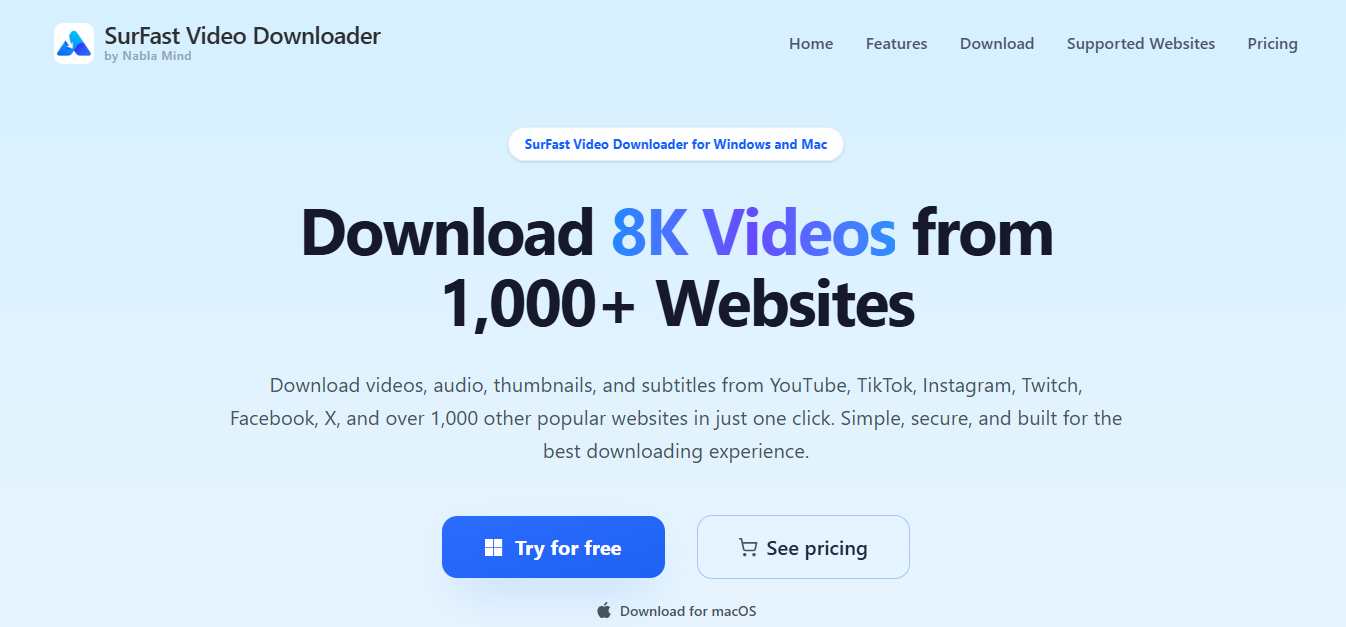
According to its official website, SurFast supports more than 1,000 websites, including popular platforms such as YouTube, TikTok, Instagram, Facebook, Twitch, Vimeo, and SoundCloud. Its features are intended for people who want more control over downloaded media, including the ability to select output formats and video resolutions.
Unlike basic download tools that focus mainly on saving individual videos, SurFast includes additional functions such as playlist downloading, audio extraction, subtitle downloads, video clipping, and scheduled downloads.
These features make it relevant to different types of users, including students, researchers, content creators, and people who regularly work with online media.
How Does SurFast Work?
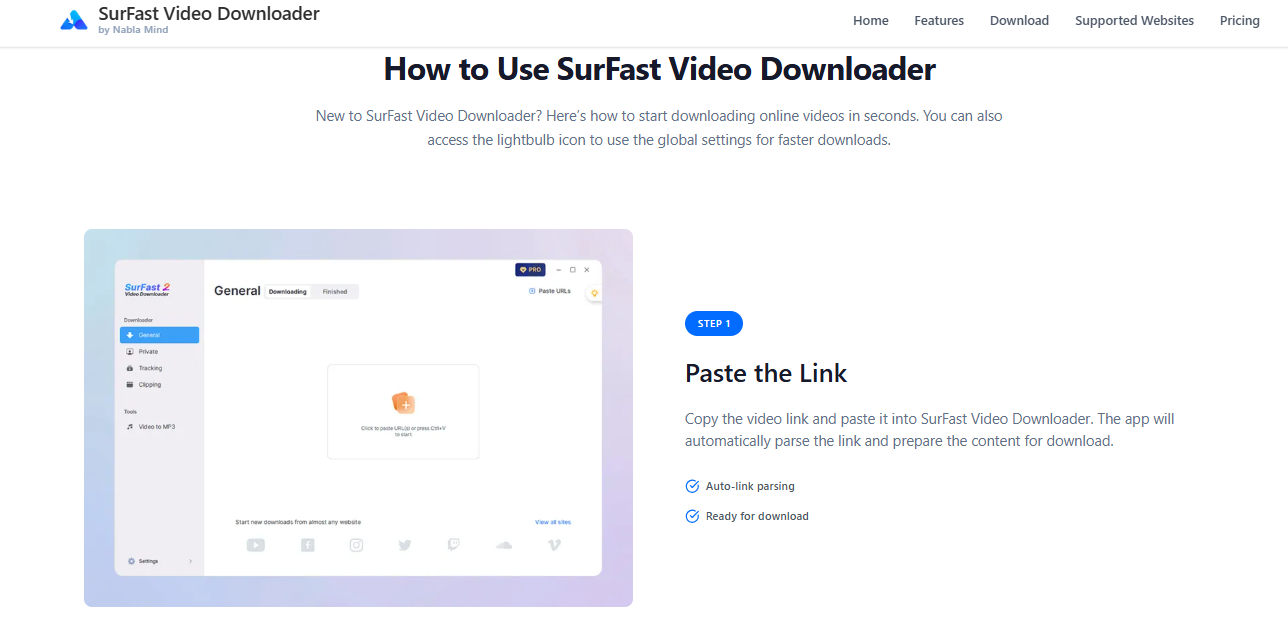
SurFast works by processing a video or media link provided by the user. Instead of manually searching through different files or using separate conversion applications, users can paste a supported URL into the software and configure their preferred download settings.
The application analyzes the supplied link and displays available download options. Depending on the source website and the content, users may be able to select a video resolution, audio format, subtitle option, or other output preferences.
The general downloading process involves three main stages.
| Stage | What happens | Why it matters |
| Add the video link | Copy a URL from a supported website and paste it into SurFast. | The software identifies the available media. |
| Choose download settings | Select the available resolution, format, and other options. | Users can choose settings that suit their devices and storage needs. |
| Start the download | Begin the process and monitor its progress in the application. | The downloaded file can be accessed from the selected output location. |
Once the download is complete, users can find their files in the Finished section. The available options depend on the website, content type, and access permissions.
Main Features of SurFast Video Downloader
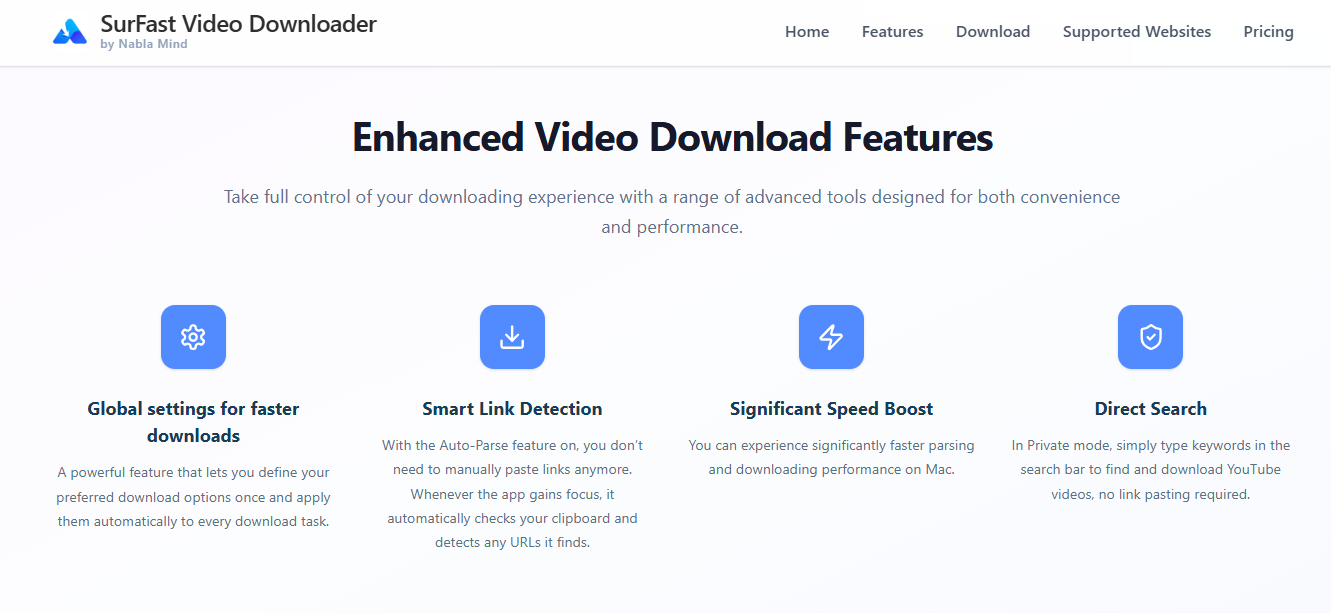
SurFast combines several media-related functions in one application. Understanding these features helps users decide whether the software offers the tools they actually need.
1. Video Downloads in Different Resolutions
One of SurFast’s main features is its support for multiple video resolutions. Users can select a suitable quality depending on the original video’s availability and their device requirements.
The official product information lists support for resolutions ranging from standard definition to 8K Ultra HD.
| Video resolution | Typical use |
| 144p–360p | Smaller files and limited storage |
| 480p | Basic viewing quality |
| 720p HD | Everyday video playback |
| 1080p Full HD | Clear viewing on most modern screens |
| 2K | Higher-resolution displays |
| 4K Ultra HD | Detailed viewing on compatible screens |
| 8K Ultra HD | Very high-resolution content on supported devices |
However, selecting 4K or 8K does not automatically improve a lower-quality source. The original video must contain that resolution, and the source website must make it available for downloading.
2. Support for Multiple Websites
Another important feature is its compatibility with different online platforms. Instead of focusing on one video-sharing website, SurFast is designed to work with a much broader selection of sources.
Its official website advertises support for more than 1,000 websites.
Some of the commonly listed platforms include:
| Platform | Type of content |
| YouTube | Videos, tutorials, and other media |
| TikTok | Short-form videos |
| Reels and other supported videos | |
| Public and other accessible videos | |
| Twitch | Streaming content |
| Vimeo | Creative and professional videos |
| SoundCloud | Audio and music content |
| X | Supported video posts |
| Bandcamp | Music and audio content |
Website compatibility does not mean every video or account will always work. Platform updates, regional restrictions, login requirements, and content permissions can affect whether a particular download is available.
3. Multiple Video and Audio Formats
Different devices and applications may require different media formats. For example, MP4 is widely used for video playback, while MP3 is commonly selected when users only need audio.
SurFast offers several output formats to make downloaded files more convenient to use.
| Media type | Supported formats |
| Video | MP4, WebM, MOV, AVI, FLV, MKV, GIF |
| Audio | MP3, WAV, M4A, AAC, ALAC, FLAC, OGG, OPUS |
| Subtitles | SRT, VTT, LRC, ASS |
This variety can be useful when transferring files between devices or preparing media for editing applications.
Nevertheless, format availability can vary depending on the source and selected download method. Users should check the available options before starting a download.
4. Audio Extraction from Online Videos
Sometimes, users do not need the complete video. They may only want the spoken explanation, an educational discussion, or another audio component.
SurFast includes audio extraction options that allow users to save supported media as audio files.
For instance, someone working with an educational video may prefer an MP3 file for listening while travelling or reviewing information without keeping the video open.
The available audio quality depends on the original source. A higher output bitrate cannot recreate audio detail that was not present in the original recording.
5. Playlist and Bulk Downloads
Downloading videos individually can become time-consuming when users need multiple files from the same source.
SurFast provides playlist, channel, and bulk downloading options that are intended to simplify this process. Users can submit supported links and manage multiple download tasks through the application.
This can be useful for researchers collecting publicly accessible educational material or users organizing videos for offline reference.
However, downloading an entire playlist may require considerable storage space and internet bandwidth. It is sensible to review the selected content before starting a large download.
6. Subtitle Downloading
Subtitles are useful for people who prefer reading along with a video, studying another language, or preparing written references from educational content.
SurFast supports downloading subtitles in several formats, including SRT, VTT, LRC, and ASS.
Depending on the source and available subtitle tracks, users may be able to save subtitles separately or incorporate them into the downloaded video.
This feature is particularly helpful when working with tutorials, interviews, lectures, and other informational content.
7. Video Clipping and Trimming
Not every user needs to download an entire video. Sometimes, a particular explanation or section is more useful than the complete recording.
SurFast includes a clipping feature that allows users to specify the beginning and ending points of a selected video segment.
For example, if a tutorial contains a short section explaining a particular software function, users may be able to download that portion rather than the entire recording.
This can reduce unnecessary file sizes and make it easier to organize relevant material. The availability of clipping depends on the supported source and download conditions.
8. Thumbnail Downloading
Video thumbnails provide a preview of the content and are often used when organizing media libraries or preparing video-related materials.
SurFast also offers a thumbnail downloading function. It can save available video thumbnails in image formats such as JPG and PNG.
This may be useful for people who manage video collections or need reference images for permitted editorial and organizational purposes.
9. Scheduled Downloads and Content Tracking
SurFast includes tracking and scheduling options for certain supported sources. These features are intended to help users monitor selected channels or playlists and download new content when it becomes available.
For people who regularly follow educational channels or specific creators, this can reduce the need to check for new uploads manually.
However, scheduled downloading depends on the continued availability of the source and the software’s ability to access it. It should not be treated as a guarantee that every future upload will be captured successfully.
What Devices and Operating Systems Does SurFast Support?
SurFast is primarily designed as desktop software rather than a standalone mobile application.
Its compatibility depends on the operating system and the installed software version.
According to the official technical information for version 2.10.0 and later, the requirements are:
| Operating system | Minimum requirement |
| Windows | Windows 10 64-bit |
| Windows | Windows 11 64-bit |
| macOS | macOS 13 or newer |
The software also offers a Chrome browser extension for supported downloading workflows.
Before installing SurFast, users should check the latest system requirements because older versions may have different compatibility specifications.
How to Use SurFast Video Downloader
Using SurFast generally involves a straightforward process. However, the exact options may differ depending on the website and the type of media being downloaded.
| Step | Action | Explanation |
| 1 | Install the application | Download the appropriate version for Windows or macOS from its official website. |
| 2 | Open SurFast | Launch the application after installation. |
| 3 | Copy a video URL | Find a supported video that you have permission to download. |
| 4 | Paste the link | Add the copied URL to the application’s download area. |
| 5 | Select output settings | Choose an available format, resolution, and other preferences. |
| 6 | Start downloading | Begin the download and monitor its progress. |
| 7 | Find the completed file | Open the Finished section or your selected output folder. |
For a first-time user, starting with one short video is a practical way to understand the interface and confirm that the selected website and output settings work correctly.
Is SurFast Free or Paid?
SurFast is commercial software that offers a limited trial rather than unlimited access to all its features for free.
According to the official product information, the trial places restrictions on the number of downloadable items, bulk downloads, subtitle downloads, and maximum video quality.
The published trial limitations include:
| Feature | Trial limitation |
| Video and audio downloads | Up to 3 items |
| Bulk downloads | Up to 3 items |
| Maximum video quality | 720p |
| Subtitle downloads | Up to 5 items |
The paid version provides expanded access to the application’s downloading capabilities.
Users should check the official pricing page for current license options and prices before purchasing because subscription terms and available offers can change.
Where SurFast Falls Short: Important Limitations to Consider
Although SurFast provides several useful features, it is important to understand that no video downloader works perfectly with every website or type of content.
Some limitations may affect the experience, particularly for people who expect unrestricted access or need a completely free solution.
1. Not Every Website or Video Is Guaranteed to Work
SurFast advertises support for more than 1,000 websites, but this does not mean every URL will be downloadable.
Websites frequently update their technical systems, and these changes can affect third-party downloading applications. Some videos may also have regional restrictions, account requirements, or other access limitations.
Users should check compatibility with the particular websites they use regularly.
2. The Free Trial Has Restrictions
The trial version is useful for exploring the interface and testing basic functionality, but it does not provide unlimited access.
The download limit and 720p quality restriction may be inconvenient for users who want to evaluate higher-resolution downloads or large playlists before paying.
This is an important consideration for anyone looking for a completely free video downloader.
3. High-Resolution Downloads Depend on the Original Video
SurFast advertises support for up to 8K resolution, but this is a maximum capability rather than a guarantee for every download.
If a video was originally uploaded in 720p, users cannot turn it into genuine 4K or 8K content simply by selecting a higher output setting.
The source quality, available video streams, and platform restrictions determine the actual result.
4. Desktop Compatibility Limits Mobile Use
SurFast’s primary application is designed for Windows and macOS computers.
People who mainly use Android phones, iPhones, or tablets may find this less convenient because the desktop application is not a direct replacement for a mobile downloading app.
The Chrome extension also does not mean that the full desktop experience is available on every mobile browser.
5. Downloading May Depend on Platform Changes
Online platforms regularly change their video delivery systems, access requirements, and content policies.
As a result, a website that works today may require an application update in the future. Some content may temporarily become unavailable through third-party tools.
Users should keep their software updated and avoid assuming that advertised website compatibility will remain unchanged.
6. Copyright and Usage Permissions Still Matter
Having the technical ability to download a video does not automatically mean that a user has permission to save, redistribute, edit, or publish it elsewhere.
Copyright rules and platform terms apply independently of the software being used.
For example, downloading someone else’s tutorial for redistribution may require permission from the copyright owner. Users should respect the original creator’s rights and the rules of the platform hosting the content.
Who Should Consider Using SurFast?
SurFast may be useful for people who regularly work with online videos and need more control over how media files are saved.
However, its suitability depends on individual requirements, budget, and preferred devices.
| User type | Potential benefit |
| Students | Saving permitted educational videos for offline study |
| Researchers | Organizing accessible video references |
| Content creators | Collecting permitted media for research and editing workflows |
| Teachers | Keeping authorized educational resources available |
| Video editors | Extracting supported video segments and audio |
| Regular viewers | Managing selected media for offline access |
People who only download an occasional video may not need all the additional features. However, users who regularly manage multiple videos, playlists, subtitles, and audio files may find the combined functionality more useful.
SurFast vs. Basic Online Video Downloaders
A common question is whether dedicated desktop software offers meaningful advantages over simple online downloading websites.
The main difference is the number of available functions and how downloads are managed.
| Comparison | SurFast Video Downloader | Basic online downloader |
| Installation | Desktop application required | Usually works through a browser |
| Website support | Advertises 1,000+ websites | Often supports fewer sources |
| Video quality | Up to 8K when available | Varies by service |
| Audio extraction | Supported | Depends on the website |
| Playlist downloads | Supported | Not always available |
| Subtitle downloads | Supported | Often limited |
| Bulk downloading | Supported | Depends on the service |
| Output formats | Multiple video and audio formats | Usually fewer options |
| Download management | Dedicated desktop interface | Browser-based process |
Neither option is automatically better for everyone. Online tools may be convenient for occasional tasks, while desktop applications can be more suitable for users who need additional downloading and file-management functions.
Is SurFast Safe to Use?
Software safety is an important consideration whenever users install a third-party application on their computers.
SurFast is developed by Nabla Mind and provides an official website where users can obtain the application and access product documentation.
For a safer installation experience, users should download the software from its official website, check that the installer comes from the expected publisher, and keep their operating system and security software updated.
It is also important to distinguish between software safety and content permissions. Even if an application is legitimate, users remain responsible for respecting website policies, copyright restrictions, and privacy requirements.
No third-party downloading tool should be treated as a guarantee that every download is risk-free or permitted.
Practical Things to Check Before Using SurFast
Before choosing SurFast, consider how frequently you download videos and which features you actually need.
| Consideration | What to check |
| Website compatibility | Does it support the platforms you regularly use? |
| Video quality | Are the required resolutions available from your sources? |
| File formats | Does it support your preferred video and audio formats? |
| Trial restrictions | Are the download limits sufficient for testing? |
| Operating system | Is your computer compatible with the latest version? |
| Pricing | Does the paid license fit your budget? |
| Content permissions | Are you allowed to download and use the selected media? |
Taking a few minutes to check these details can prevent unnecessary purchases and compatibility problems later.
Frequently Asked Questions About SurFast
1. What is SurFast used for?
SurFast Video Downloader is desktop software used to download videos, audio, subtitles, and thumbnails from supported websites. It also offers features such as playlist downloading, bulk downloads, and video clipping.
2. Is SurFast Video Downloader free?
SurFast provides a limited trial with restrictions on downloads, subtitles, and video quality. Users who need expanded functionality must consider one of its paid licenses.
3. Does SurFast support YouTube?
Yes, SurFast lists YouTube among its supported platforms. However, individual videos may have restrictions, and users should follow YouTube’s terms and applicable copyright rules.
4. Can SurFast download videos in 4K and 8K?
SurFast supports resolutions up to 8K when the source video and platform make that quality available. The actual resolution depends on the original content.
5. Does SurFast work on Mac?
Yes, SurFast offers a macOS version. According to its latest published technical requirements for version 2.10.0 and later, it requires macOS 13 or newer.
6. Can SurFast download audio from videos?
Yes, the application offers audio extraction and supports formats such as MP3, WAV, M4A, FLAC, AAC, and OGG.
7. Does SurFast support playlist downloads?
Yes, SurFast includes playlist and channel downloading features. These options allow users to manage multiple supported videos without processing every link individually.
8. Why is SurFast not downloading a video?
A download may fail because of an unsupported URL, changes to the source website, account restrictions, regional limitations, or temporary connectivity problems. Checking the link and updating the application may help identify the issue.
Read More: Agentive AI: How Autonomous Artificial Intelligence Is Changing the Future of Technology
Final Thoughts
SurFast Video Downloader is a desktop application that brings several media downloading functions together in one place. Its support for different websites, video resolutions, audio formats, subtitles, playlists, and clipping options makes it worth understanding for people who regularly work with online media.
However, its advertised capabilities should be considered alongside practical limitations. The trial version has download restrictions, high-resolution output depends on the original source, and website compatibility can change over time. Its desktop-focused design may also be less convenient for people who primarily use mobile devices.
Ultimately, SurFast may be a suitable option for users who need more than basic video downloading, particularly when playlist management, subtitle extraction, and format flexibility are important. Those who only need occasional downloads should compare their requirements with the available trial and other options before purchasing.
The best approach is to test the software with a supported video, examine the available settings, and make a decision based on actual requirements rather than advertised features alone.