


Introduction
Communicating with someone is not always convenient through speech. At concerts, crowded restaurants, busy events, and other noisy environments, people may struggle to hear one another. In quieter places, speaking aloud can also interrupt others or attract unnecessary attention. A visual message can offer a simple alternative.
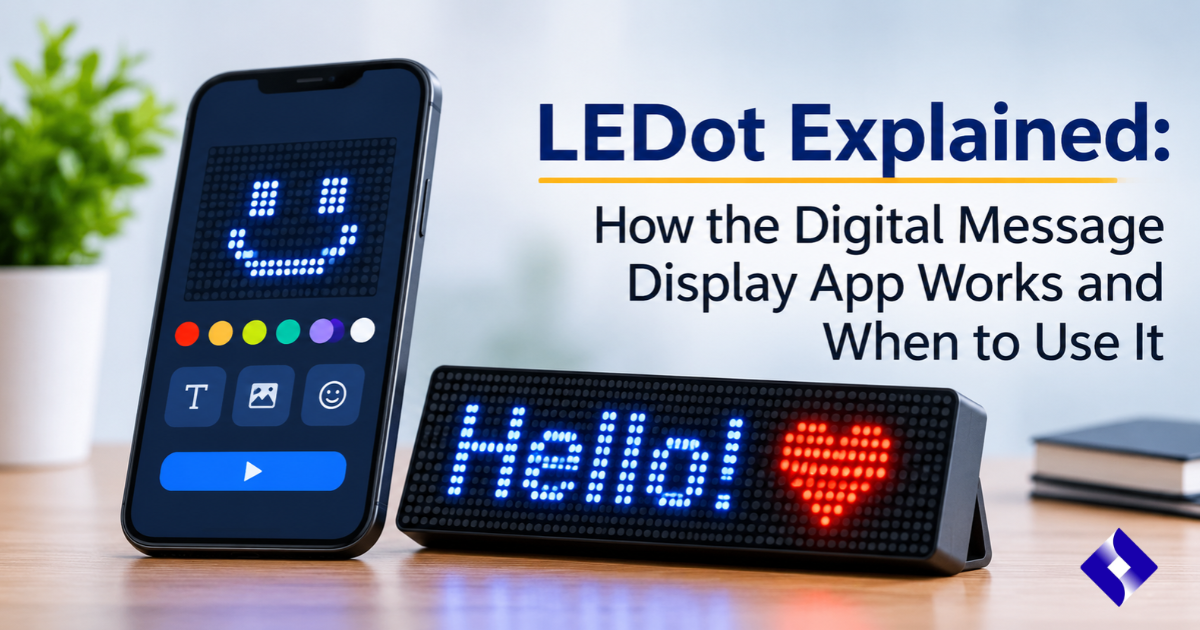
LEDot is a mobile application designed to turn an iPhone or iPad into a scrolling ticker-style message display. Instead of sending a conventional text message or speaking directly, users can type a short message and present it on their device screen for someone nearby to read.
The app is intended for situations where displaying words can be more practical than speaking. Its potential uses include communicating in crowded venues, sharing messages at social gatherings, and getting someone’s attention from a short distance.
However, understanding what LEDot actually does requires looking beyond its basic purpose. Its features, supported devices, pricing, privacy information, and practical limitations all matter when deciding whether it is suitable for everyday use.
This guide explains how LEDot works, what users can do with it, where it may be useful, and what to consider before installing it.
Table of Contents
- What Is LEDot?
- How Does LEDot Work?
- Key Features of LEDot
- Common Uses of the LEDot App
- LEDot Compatibility and Availability
- Benefits of Using LEDot
- Limitations and Things to Consider
- LEDot vs Traditional Messaging Apps
- Is LEDot Worth Using?
- Frequently Asked Questions
- Conclusion
1. What Is LEDot?
LEDot is a mobile application that converts an iPhone or iPad screen into a digital ticker display. Users can enter a message and show it as an LED-style visual announcement rather than relying on spoken communication.
The application is listed in Apple’s App Store under the name LEDot, with the description “Pretty display message on hand.” Its developer is identified as Jiantao Chen, and the listing categorizes it under Lifestyle.
App Store
Unlike conventional messaging platforms, LEDot is primarily designed to display messages directly on the device screen. Its purpose is not to provide a complete communication system with chat histories, contacts, or online conversations.
For example, someone attending a concert could display a short message to a friend standing nearby. Similarly, a person in a crowded restaurant might use a visual message to communicate an order or attract someone’s attention.
The main idea is straightforward: turn a personal mobile device into a small, portable message board.
2. How Does LEDot Work?
LEDot works by displaying user-entered text in an LED-style ticker format. The phone or tablet screen becomes the visual surface through which the message is presented.
Although the concept resembles an electronic advertising sign, the application uses the device’s existing display rather than requiring separate LED hardware.
The general process involves a few simple steps:
- Open the application: Launch LEDot on a supported iPhone or iPad.
- Enter a message: Type the words you want another person to see.
- Adjust the display: Use the available presentation settings to customize the appearance.
- Show the message: Hold the device where the intended reader can see the screen.
- Communicate visually: Allow the other person to read the displayed message.
The App Store listing also identifies features such as connected-letter display mode and custom input colour settings. These options provide additional control over how messages appear.
Understanding the LED-style display
Traditional LED message boards use individual light-emitting diodes to create letters, numbers, and symbols. A mobile application recreates a similar visual effect through the phone’s screen.
This approach makes the display portable because users do not need to purchase or carry a separate electronic sign.
It is important to understand that LEDot does not transform the phone into a physical LED panel. Instead, it uses screen graphics to imitate the appearance of a digital ticker.
3. Key Features of LEDot
LEDot focuses on visual message presentation rather than offering a large collection of communication tools. Its listed features are designed to help users customize and display short messages.
Here are some of the notable features associated with the application.
3.1 Digital ticker display
The central feature is its ticker-style message presentation. Users can display text on their phone or tablet screen in a format resembling an electronic announcement board.
This can be useful when someone needs to communicate a short message without speaking.
3.2 Custom input colours
LEDot supports custom input colour settings. This gives users more control over the visual appearance of their messages.
Colour customization can make text easier to distinguish against the display background, although actual readability also depends on screen brightness and surrounding lighting.
3.3 Connected-letter mode
The application includes a connected-letter display mode. This option changes how letters are visually presented and provides another way to customize the message.
It may appeal to users who prefer a more continuous or distinctive ticker appearance.
3.4 iPhone and iPad support
LEDot is listed for both iPhone and iPad. This gives users the flexibility to display messages on different screen sizes.
A larger tablet screen may be easier for someone to read from a distance, while an iPhone is more convenient to carry around.
3.5 Additional display options
The App Store version history identifies improvements and additional display controls, including perspective mode in an earlier release. The current feature availability should always be checked against the installed version.
App Store
Feature overview
| Feature | What It Does | Practical Value |
| LED-style ticker | Presents text in a digital sign format | Makes short messages visually noticeable |
| Custom input colour | Allows colour customization | Helps personalize message appearance |
| Connected-letter mode | Changes how letters appear | Provides another display style |
| iPhone support | Runs on compatible iPhones | Makes messaging portable |
| iPad support | Works on compatible iPads | Offers a larger viewing surface |
| Perspective mode | Provides an alternative display effect listed in version history | Adds visual customization |
4. Common Uses of the LEDot App
LEDot is most relevant when displaying a message is easier than speaking. Its usefulness depends on the environment, the distance between people, and whether the recipient can clearly see the screen.
The following examples illustrate situations where this type of application may be practical.
4.1 Communicating at concerts
Concert venues are often noisy, making ordinary conversations difficult. People may need to communicate with friends without shouting over the music.
A scrolling message display can help share short information, such as asking someone to move closer or indicating where to meet.
4.2 Getting attention at crowded events
Large gatherings can make it difficult to locate friends or family members. A recognizable message displayed on a phone may help someone identify the person they are looking for.
For example, a person waiting near an event entrance could display a name or a short greeting.
4.3 Communicating in restaurants and bars
Busy restaurants and bars often have loud background conversations. A visual message can help people share simple information without repeatedly trying to speak over the noise.
Possible examples include:
- Requesting a drink or menu.
- Getting a friend’s attention.
- Sharing a short instruction.
- Communicating across a crowded table.
4.4 Using messages in quiet environments
Not every communication challenge comes from noise. Libraries, classrooms, and meetings require people to limit unnecessary conversations.
In these situations, showing a short message may be less disruptive than speaking aloud, provided device use is permitted.
4.5 Communicating with people who have hearing difficulties
Visual communication can be helpful when speaking is not the most effective way to exchange information.
For someone who has difficulty hearing spoken words, a clearly displayed message may provide another communication option.
However, LEDot should not be treated as a replacement for accessibility tools, established communication methods, or professional interpretation when those are needed.
4.6 Sharing information during appointments
Some appointments make speaking uncomfortable or inconvenient. For example, a person visiting a dentist may prefer to communicate a brief request through text displayed on a screen.
This is a situational use rather than a substitute for direct communication with healthcare professionals.
5. LEDot Compatibility and Availability
Before installing any mobile application, it is important to check whether it supports the device and operating system you currently use.
According to its App Store listing, LEDot supports iPhone and iPad. The listed minimum requirements are iOS 11.0 or later for iPhone and iPadOS 11.0 or later for iPad. The listing also identifies English and Simplified Chinese as supported languages.
App Store
The application is listed as a paid download with additional in-app purchases. The displayed US listing price is $0.99, while its advanced features are listed as a separate $1.99 in-app purchase. Prices and availability can vary by region and may change over time.
App Store
Compatibility overview
| Category | Available Information |
| Application name | LEDot |
| Developer | Jiantao Chen |
| Platform | iPhone and iPad |
| iPhone requirement | iOS 11.0 or later |
| iPad requirement | iPadOS 11.0 or later |
| Languages | English and Simplified Chinese |
| App category | Lifestyle |
| Pricing | Paid download with in-app purchases |
| Main purpose | LED-style digital message display |
Users should check the current App Store listing for regional availability, updated requirements, and the latest purchase information before downloading.
6. Benefits of Using LEDot
LEDot offers a simple approach to visual communication. Rather than requiring specialized equipment or a separate electronic sign, it uses a device that many people already carry.
Several practical benefits explain why someone might find this type of application useful.
6.1 Convenient communication
The application provides a way to present short messages without speaking. This can be particularly useful in environments where conversations are difficult or inconvenient.
6.2 Portable message display
Since LEDot operates on mobile devices, users do not need to carry a dedicated electronic message board. An iPhone or iPad can serve as the display.
6.3 Simple concept
The basic idea is easy to understand: enter text and present it visually. Users who only need to display occasional messages may appreciate this straightforward approach.
6.4 Customizable appearance
Colour and connected-letter options allow users to change how their messages look. These settings can help make the display more noticeable or visually suitable for different situations.
6.5 Useful in different environments
The same basic function can be applied in several settings, including:
- Concerts and public gatherings.
- Busy restaurants and social events.
- Libraries and quiet workplaces.
- Airport arrival areas.
- Informal communication with friends and family.
- Situations where speaking is inconvenient.
6.6 No separate display hardware required
A major practical advantage is that users can create a digital message display without buying a physical LED sign. The application uses the existing screen, reducing the need for additional equipment.
7. Limitations and Things to Consider
Although LEDot offers a convenient way to display text, it is important to understand what the application cannot do.
A simple ticker display is not suitable for every communication situation. Its usefulness depends on the device, viewing conditions, and the needs of the people using it.
7.1 Limited communication functionality
LEDot is primarily a message display application. It should not be confused with messaging services that support direct conversations, voice calls, video calls, or file sharing.
Users who need continuous communication may require a more comprehensive platform.
7.2 Screen visibility depends on lighting
The readability of a message depends partly on the surrounding environment.
Bright sunlight, reflections, screen brightness, and viewing angles can make displayed text difficult to read. Users may need to adjust their device position or brightness.
7.3 Physical distance affects readability
A phone screen has limited viewing space. Although scrolling text can accommodate longer messages, people standing too far away may struggle to read it.
An iPad provides a larger display, but it still cannot replace a large public information screen.
7.4 Platform availability
The available listing identifies iPhone and iPad compatibility. Android users should not assume that an official Android version exists without checking the developer’s current distribution channels.
7.5 Paid features
LEDot is not presented as an entirely free application. Its App Store listing identifies a paid download and additional in-app purchases.
Users should review the purchase details before installing it, particularly if they only need basic message-display functionality.
7.6 Privacy considerations
The App Store privacy information indicates that the developer may collect diagnostics for tracking purposes, along with certain information used for analytics, product personalization, and application functionality. Apple notes that these privacy disclosures are developer-provided and have not been independently verified by Apple.
App Store
Before using the application, users should:
- Review its current privacy policy.
- Check the permissions requested during installation.
- Understand what information may be collected.
- Avoid displaying confidential or sensitive information publicly.
- Review available privacy settings.
7.7 Not a replacement for emergency communication
A scrolling message application should not be relied upon for emergencies or situations requiring guaranteed communication.
If someone needs urgent assistance, established emergency services and appropriate communication channels are more dependable.
8. LEDot vs Traditional Messaging Apps
LEDot and conventional messaging applications serve different purposes. Although both involve written communication, their methods of presenting information are not the same.
Traditional messaging platforms are designed for exchanging messages between individuals or groups. LEDot focuses on showing text directly on a device screen so that people nearby can read it.
Understanding this distinction helps users choose the appropriate tool.
| Comparison Factor | LEDot | Traditional Messaging Apps |
| Main purpose | Display visual messages | Exchange digital messages |
| Communication method | On-screen ticker display | Text-based conversations |
| Internet requirement | Not established as necessary by the listing | Depends on the application and service |
| Main audience | People nearby who can see the screen | Connected contacts or groups |
| Message history | Not established as a core feature | Commonly available |
| Voice and video calls | Not listed as core features | Available in many applications |
| Portability | Uses a mobile device | Uses a mobile device |
| Best suited for | Short visual announcements | Ongoing conversations |
The key difference is that LEDot is intended to make a message visible to someone physically nearby, while traditional messaging apps deliver information through digital communication channels.
For example, if you want to send a detailed message to someone who is not physically present, a conventional messaging application is more appropriate. If you want someone standing nearby to read a short announcement, LEDot may be more convenient.
9. Is LEDot Worth Using?
Whether LEDot is worth using depends on the type of communication a person needs.
For someone who occasionally wants to display a short message in a noisy or quiet environment, the application offers a straightforward solution. Its ticker-style display, colour customization, and connected-letter mode provide basic options for presenting text.
However, users expecting a complete messaging platform may find its functionality limited.
Before making a decision, consider the following points:
- Choose LEDot if you need a portable visual message display.
- Consider its customization options if message appearance is important.
- Check compatibility to make sure your device supports the application.
- Review the pricing to understand the initial cost and additional purchases.
- Read the privacy information before installing the app.
- Consider alternatives if you need messaging, calling, or advanced accessibility features.
Ultimately, LEDot is best understood as a specialized utility rather than an all-purpose communication application. Its value comes from addressing a particular need: displaying short messages when speaking is not convenient.
10. Frequently Asked Questions
1. What is LEDot?
LEDot is a mobile application that turns an iPhone or iPad screen into an LED-style scrolling message display. It allows users to present short visual messages when speaking is inconvenient.
2. What does “dot” mean?
A dot is a small, round mark or point used in writing, mathematics, and digital communication. In technology, it can also refer to a pixel or a small visual element on a screen.
3. What does “drop a dot” mean?
“Drop a dot” is an informal expression that can mean leaving a small mark, symbol, or brief message. Its exact meaning depends on the context in which the phrase is used.
4. Is LEDot free to use?
LEDot is listed as a paid application with additional in-app purchases. The displayed price and purchase options may vary depending on the user’s country and App Store region.
5. Can LEDot be used without an internet connection?
The App Store description does not clearly confirm offline functionality. Users should test the application’s basic display features without an internet connection rather than assume offline support.
6. Can LEDot help people with hearing difficulties?
Yes, visual message displays can provide an additional way to communicate with people who have difficulty hearing spoken words. However, LEDot is not a replacement for dedicated accessibility and communication tools.
7. Does LEDot support iPads?
Yes. Its App Store listing identifies iPad compatibility and specifies iPadOS 11.0 or later as the minimum requirement.
11. Conclusion
LEDot is a specialized mobile application that turns an iPhone or iPad into a digital ticker-style message display. It provides an alternative to spoken communication by allowing users to present short messages directly on their device screens.
Its practical applications include concerts, crowded restaurants, social gatherings, quiet environments, and other situations where visual communication can be useful. Features such as custom input colours and connected-letter mode provide additional control over message presentation.
However, the application also has limitations. It is not a full messaging platform; its display depends on screen visibility, and its pricing and privacy information should be reviewed before installation.
Overall, LEDot is worth understanding as a simple visual communication utility. Users who need an occasional portable message display may find its approach useful, while those requiring more advanced communication capabilities should consider other solutions.
Read more: MacPilot Explained: How It Helps Mac Users Access Hidden Settings and Customize macOS