

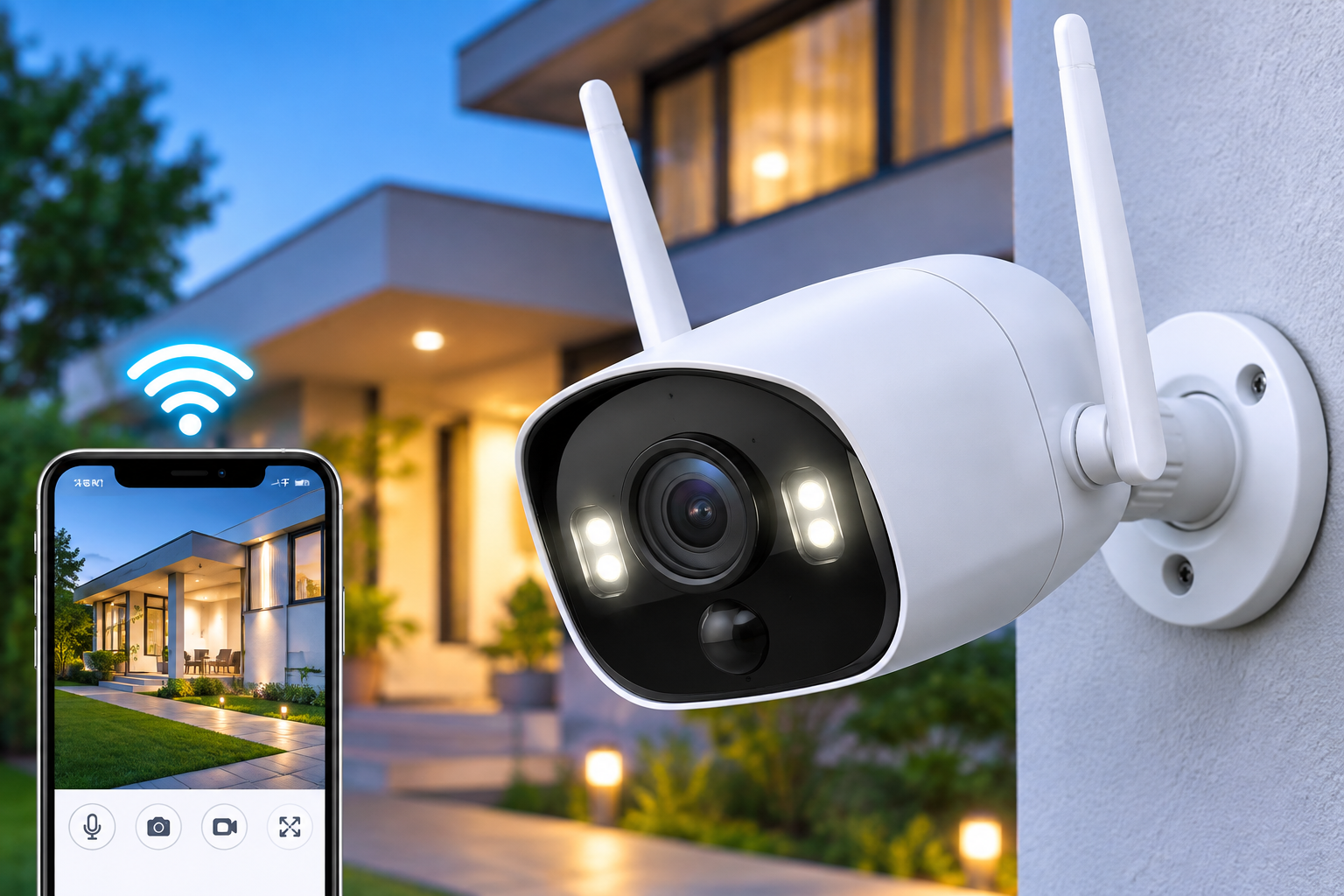

Home security is an important part of protecting your property, family, and personal belongings. With smart surveillance technology becoming more accessible, homeowners can now monitor their surroundings, receive activity alerts, and check live footage directly from their smartphones. The Defender Go 2K AI Powered WiFi Indoor/Outdoor Home Security Camera is designed to provide these capabilities through high-resolution video, intelligent detection, and convenient wireless connectivity.
Whether you want to monitor your front door, garage, backyard, living room, or pets, this security camera offers features designed to support everyday home monitoring.
What Is the Defender Go 2K AI Powered WiFi Indoor/Outdoor Home Camera?
The Defender Go 2K is a smart security camera designed for residential and small-business surveillance. It connects to a compatible WiFi network and allows users to monitor their property remotely through the Defender ClearVu mobile application.
The camera features 2K resolution, AI-powered human detection, night vision, and two-way audio. Its indoor and outdoor compatibility provides flexibility when choosing an installation location.
Unlike battery-powered surveillance cameras, the Defender Go 2K uses a plug-in power supply, allowing it to operate continuously without regular battery charging.
Key Features of the Defender Go 2K Security Camera
2K High-Definition Video Quality
Video quality plays an important role in home surveillance. The Defender Go 2K features a 3MP image sensor that supports video recording at 2304 × 1296 resolution.
This resolution provides more image detail than standard Full HD 1080p cameras, helping users observe activity around their property.
The camera also features a 130-degree diagonal viewing angle, allowing it to monitor a relatively wide area from a suitable mounting position.
AI-Powered Human Detection
One of the main features of the Defender Go 2K is its AI-powered detection technology.
The camera can identify human activity and send notifications through the compatible mobile application. This helps users distinguish relevant movement from general activity in monitored areas.
Human detection can be useful for:
-
Monitoring visitors approaching the front entrance.
-
Identifying movement around driveways and garages.
-
Checking activity in outdoor spaces.
-
Receiving alerts when someone enters a monitored area.
Detection performance can depend on camera placement, lighting, and environmental conditions.
Color Night Vision and Infrared Monitoring
Home security monitoring should not stop when daylight disappears. The Defender Go 2K includes night vision features designed to provide visibility in low-light conditions.
Its infrared night vision supports monitoring at distances of up to 32 feet (10 metres). An integrated 80-lumen spotlight also supports color night vision.
These features help homeowners monitor entrances, patios, garages, and other areas during nighttime hours.
Two-Way Audio Communication
The Defender Go 2K includes a built-in microphone and speaker that support two-way audio.
Users can listen to activity near the camera and communicate remotely through the compatible application.
This feature can be useful when speaking with delivery personnel, checking on family members, or communicating with visitors without physically approaching the entrance.
It also provides a convenient way to interact with pets while away from home.
Indoor and Outdoor Installation
Flexibility is another important consideration when choosing a home security camera.
The Defender Go 2K is designed for both indoor and outdoor installation. Its IP65 weather-resistance rating provides protection against dust and water jets when installed correctly.
Possible installation locations include:
-
Front doors and entrance areas.
-
Backyards and patios.
-
Garages and driveways.
-
Living rooms and hallways.
-
Home offices and other indoor spaces.
For outdoor installations, users should follow the manufacturer’s mounting and weather-protection instructions.
Dual-Band WiFi Connectivity
The camera supports both 2.4GHz and 5GHz WiFi networks and is compatible with WiFi 6 technology.
Dual-band connectivity provides flexibility when connecting the camera to a home wireless network. A stable connection is important for accessing live footage, receiving notifications, and using remote communication features.
Before installation, check that the selected location receives a reliable WiFi signal.
Smartphone Access Through the Defender ClearVu App
The Defender ClearVu application provides access to supported camera functions through a compatible smartphone or tablet.
Depending on the available settings, users can:
-
View live camera footage.
-
Receive motion and human detection alerts.
-
Use two-way audio.
-
Manage connected cameras.
-
Access available recorded footage.
This makes it possible to check monitored areas without being physically present at home.
Defender Go 2K Technical Specifications
Here are the main specifications of the camera:
-
Model: IP3MCB1A
-
Image Sensor: 1/2.8-inch 3MP Progressive CMOS
-
Main Video Resolution: 2304 × 1296
-
Frame Rate: 15 FPS
-
Viewing Angle: 108° horizontal, 57° vertical, 130° diagonal
-
Night Vision Range: Up to 32 feet (10 metres)
-
Spotlight: 80 lumens
-
Audio: Built-in microphone and speaker
-
WiFi: 2.4GHz and 5GHz
-
Wireless Security: AES 128
-
Local Storage: MicroSD card up to 128GB
-
Weather Resistance: IP65
-
Power Supply: DC 5V, 1A
A microSD card is sold separately.
Read more: Hotwire GAIO.tech AI Visibility Products Explained: How They Help Brands Appear in AI Search
How to Set Up the Defender Go 2K Camera
Installing the Defender Go 2K involves a few basic steps.
1. Select the Installation Location
Choose an area with a clear view of the space you want to monitor. Check that a suitable power outlet and reliable WiFi connection are available.
2. Mount the Camera
Use the supplied mounting accessories to position the camera securely. Adjust its angle to cover the required monitoring area.
3. Connect the Power Supply
Connect the camera to its compatible power adapter and switch on the power supply.
4. Install the Mobile Application
Download the compatible Defender ClearVu application on your smartphone or tablet.
5. Connect the Camera to WiFi
Follow the application’s setup instructions to connect the camera to your home wireless network.
6. Test the Security Features
Check the live video feed, motion detection, night vision, and two-way audio to confirm that the camera is operating correctly.
Is the Defender Go 2K Suitable for Your Home?
The Defender Go 2K is worth considering for homeowners who want a smart surveillance camera with high-definition video and remote monitoring capabilities.
Its 2K resolution helps capture additional visual detail, while AI-powered human detection provides more targeted activity notifications. The combination of night vision, two-way audio, and indoor/outdoor compatibility makes it suitable for different monitoring requirements.
However, there are a few points to consider before purchasing:
-
It requires a continuous power connection.
-
A microSD card must be purchased separately for local recording.
-
Cloud recording features may require a subscription.
-
WiFi signal strength can affect connectivity.
-
Outdoor installation should follow the manufacturer’s recommendations.
If you need a plug-in security camera that combines essential smart surveillance features with smartphone access, the Defender Go 2K offers several features to evaluate.
Frequently Asked Questions
1. Can the Defender Go 2K be used outdoors?
Yes. The camera is designed for indoor and outdoor use and has an IP65 weather-resistance rating.
2. Does the Defender Go 2K record in 2K resolution?
Yes. Its main video resolution is 2304 × 1296 pixels, supported by a 3MP image sensor.
3. Does the camera support AI human detection?
Yes. It includes AI-powered human detection to help identify people moving within the monitored area.
4. Does the Defender Go 2K have night vision?
Yes. It includes infrared night vision with a range of up to 32 feet, along with an 80-lumen spotlight for color night vision.
5. Can I access the camera remotely?
Yes. You can use the compatible Defender ClearVu application to access supported monitoring features through your smartphone or tablet.
6. Does the camera support two-way audio?
Yes. Its integrated microphone and speaker allow users to listen and communicate through the mobile application.
7. Does the Defender Go 2K require WiFi?
Yes. It connects to a compatible 2.4GHz or 5GHz WiFi network for remote monitoring and supported smart features.
8. Does the Defender Go 2K need a memory card?
A microSD card is optional for local recording and is sold separately. The camera supports cards up to 128GB.
Conclusion
The Defender Go 2K AI Powered WiFi Indoor/Outdoor Home Security Camera combines 2K video recording, AI-powered human detection, infrared and color night vision, two-way audio, and dual-band WiFi connectivity.
Its flexible installation options make it suitable for monitoring different areas inside and outside a property. With smartphone access through the Defender ClearVu application, homeowners can check live footage and receive activity notifications remotely.
Before choosing this camera, consider your power supply, WiFi coverage, storage requirements, and installation location to ensure it meets your home surveillance needs.