


Introduction
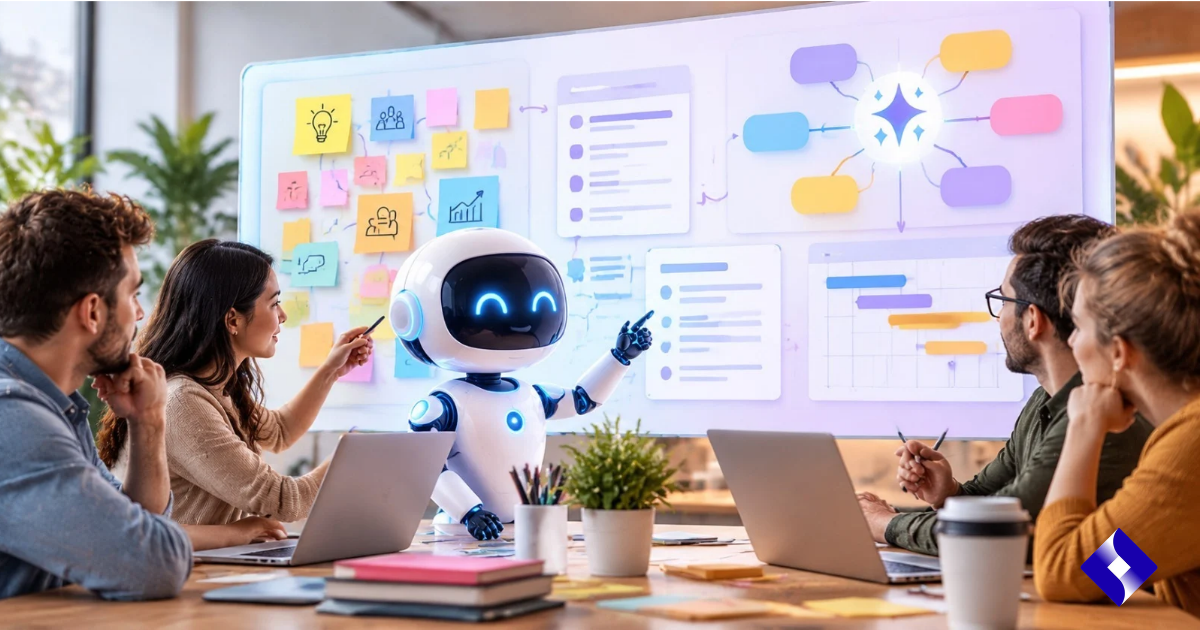
Team collaboration often creates a common problem: there’s a lot of information, but little structure. Brainstorming sessions generate dozens of sticky notes, meetings lead to long chains of comments, and research produces more results than a team can easily organize.
This is where Miro AI can come in handy. Instead of treating artificial intelligence as a standalone tool, Miro integrates AI capabilities directly into its collaborative visual workspace. Teams can use it to brainstorm, group information, summarize discussions, create documents and diagrams, and transform unstructured content into more organized work.
Its practical value lies less in replacing collaboration and more in reducing the repetitive work surrounding it. People still need to decide what’s important, question assumptions, and agree on priorities, while AI can help organize the information on which those decisions are based.
Table of Contents
- What is Miro AI?
- How Miro AI helps organize ideas
- Using Miro AI to summarize debates
- Project planning with Miro AI
- Creating diagrams and visual workflows
- Main features of Miro AI
- Benefits for the teams
- Advantages and disadvantages
- Best practices for using Miro AI
- Frequently Asked Questions
- Key findings
- Conclusion
What is Miro AI?
Miro AI is a suite of artificial intelligence features integrated into the Miro collaborative workspace. These tools are designed to facilitate activities such as brainstorming, content creation, information synthesis, diagramming, text revision, translation, and organization.
One of its useful features is that the AI can work with content already present on a Miro board. Users can select objects from the board or provide prompts, allowing the generated results to build upon existing ideas rather than starting from a completely blank slate.
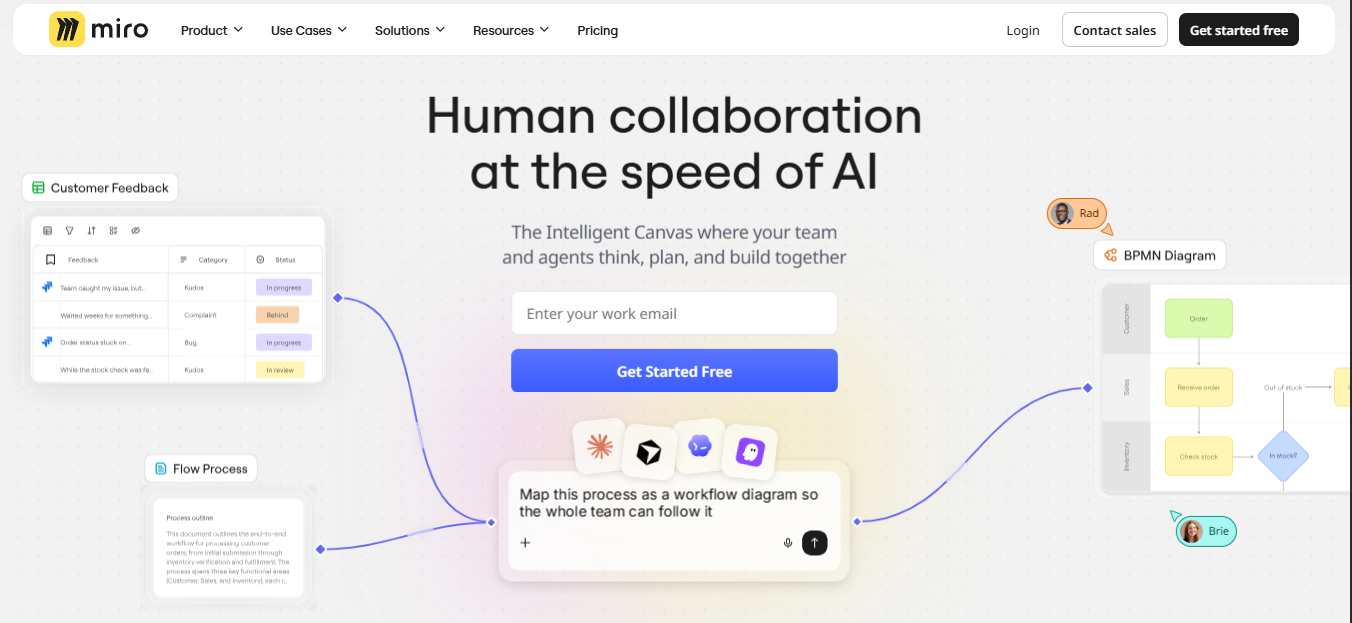
This makes the technology especially relevant for teams that already use visual collaboration for workshops, product development, research, planning, or project management.
How Miro AI helps organize ideas
Turning brainstorming into structure
Brainstorming works best when people can contribute freely without worrying too much about the organization from the outset. The downside is that a successful session can leave a board full of overlapping, incomplete, or poorly connected ideas.
Miro AI can help organize this material by grouping sticky notes based on keywords or sentiment. This makes it easier to review large collections of qualitative feedback and helps teams identify common themes.
For example, a product team might collect customer complaints on individual sticky notes. Instead of manually categorizing each note, the team can use AI-assisted clustering to identify recurring themes such as usability, pricing, user onboarding, or missing features.
Subsequently, the human team can review those groups and decide which findings truly deserve attention.
Expanding ideas
Miro AI can also help generate ideas by creating additional ones from existing content. The mind mapping feature, for example, can expand selected topics into related ideas, questions, or themes.
This can be useful when a team feels their initial brainstorming session hasn’t gone anywhere. Instead of asking the AI to make the final decision, teams can use it to present possibilities that participants can discuss, refine, accept, or reject.
Using Miro AI to summarize debates
Extensive collaborative conversations can be difficult to follow, especially when multiple people contribute at different times.
Miro AI includes conversation summaries that allow you to condense lengthy discussions into comments. It can also extract important information from forum content and identify topics or potential next steps.
This is especially useful for distributed teams. Someone returning to a project after several days might not need to read all the comments to understand what has changed or what issues still require attention.
However, summaries should be considered a useful starting point, not a perfect substitute for important original sources. When a decision has significant consequences, team members should review the original discussion and confirm the context.
Project planning with Miro AI
Once the ideas have been gathered and organized, the next challenge is to turn them into a viable plan.
Miro AI can generate various types of structured content based on prompts and selected board information. Its current AI creation features include documents, tables, Kanban boards, timelines, diagrams, mind maps, and sticky notes.
For example, a team might start by compiling workshop notes and ask AI to help convert those findings into a project outline. The resulting material can then be reviewed and adjusted by those responsible for project execution.
From ideas to concrete actions
A useful planning workflow might look like this:
- Gather ideas and research results.
- Group similar information by topic.
- Identify the most important problems or opportunities.
- Convert the selected ideas into project tasks or requirements.
- Assign owners and priorities.
- Create a timeline or workflow.
- Review the plan with stakeholders.
The advantage of this approach is that AI becomes part of the transition from brainstorming to execution, rather than being used solely to generate text.
Creating diagrams and visual workflows
Some projects are difficult to understand when described only in paragraphs.
Miro AI can generate diagrams such as flowcharts, UML diagrams, entity-relationship diagrams, and mind maps from descriptions or selected content on the board. The generated diagrams can be edited so teams can refine them later.
This can be especially useful for software teams, operations groups, product managers, and business analysts.
For example, a team designing a customer onboarding process could outline the main steps and ask AI to create a process diagram. The team could then correct any missing steps, reorganize the flow, and use the visual representation during meetings with stakeholders.
Main features of Miro AI
Several features make Miro AI relevant for collaborative work:
AI-powered idea generation
Teams can generate ideas from suggestions or existing board content, helping participants explore additional possibilities during brainstorming.
Information grouping
Sticky notes can be organized according to keywords or the sentiment they express, making it easier to analyze large amounts of qualitative information.
Summary
Miro AI can summarize lengthy comment threads and synthesize information from forum content, helping users catch up faster.
Document creation
AI can create Miro documents from prompts and selected board content, including materials such as research summaries, diagrams, and design specifications.
Diagram generation
Teams can create editable diagrams and mind maps from natural language descriptions. Hand-drawn diagrams can also be converted into editable diagrams using the platform’s AI functionality.
Text improvement
Miro’s AI can help correct grammar, shorten content, rewrite text for clarity, adjust tone, and translate selected content.
Benefits of Miro AI for teams
Less manual organization
Manually sorting through hundreds of notes can consume valuable meeting and research time. AI-assisted grouping and summarization can reduce some of that repetitive effort.
Faster project preparation
Teams can move from initial ideas to documents, diagrams, task structures, and timelines without having to manually create each element from scratch.
Improved accessibility to team knowledge
Summaries and structured information can make it easier for team members, both new and returning, to understand extensive dashboards.
Stronger visual communication
Diagrams and mind maps can facilitate the discussion of complex processes, especially when teams are made up of people with different technical or professional backgrounds.
More time for strategic work
By reducing repetitive organization, team members can spend more time evaluating ideas, resolving disagreements, and making decisions.
Advantages and disadvantages
Advantages
- It helps to organize large collections of ideas.
- It facilitates brainstorming and concept generation.
- It can summarize lengthy discussions.
- Generates various types of visual diagrams.
- It helps transform board meeting content into structured documents.
- It allows for project planning and the creation of workflows.
- It offers text editing and translation functions.
Disadvantages
- AI-generated content still needs human review.
- Summaries may omit context or nuances.
- Poorly written instructions can produce less useful results.
- AI should not replace expert knowledge in the subject.
- Some advanced features and the use of AI may depend on the plan or credit availability.
Best practices for using Miro AI
The quality of AI-assisted collaboration depends largely on how teams use the technology.
Start with clear instructions and provide relevant context. Miro recommends giving detailed instructions and selecting existing board content when additional context can improve the outcome.
It’s also helpful to treat the initial AI output as a draft. Team members should verify the data, remove irrelevant suggestions, correct errors, and ensure the final plan reflects the actual needs of the business.
The most important thing is to keep people involved in important decisions. AI can help organize information, but the responsibility for priorities, budgets, timelines, and strategic decisions should rest with the relevant team members.
Frequently Asked Questions
What is Miro AI used for?
Miro AI is used for tasks such as brainstorming, organizing sticky notes, summarizing discussions, generating documents, creating diagrams, refining texts, and supporting project planning.
Can Miro AI summarize a meeting?
Miro AI can summarize lengthy conversations and synthesize information available on a Miro board. Its capabilities depend on the content available in the workspace.
Can Miro AI create project plans?
It can help generate structured content for the project, including documents, tables, Kanban boards, and timelines. Teams should review and customize the generated material before considering it as the final project plan.
Can Miro AI create diagrams?
Yes. Miro AI allows for the AI-assisted creation of diagrams and mind maps, including flowcharts and other types of diagrams. The generated content can be edited by users.
Is Miro AI useful for brainstorming?
Yes. It can generate ideas, organize sticky notes, group information, and help teams identify themes in brainstorming sessions.
Does Miro AI replace project managers?
No. AI can help with organization and preparation, but project managers still need to make decisions, coordinate people, manage risks, resolve conflicts, and maintain accountability.
Can Miro AI work with existing dashboard content?
Yes. Miro’s “Create with AI” feature allows users to use the visible content of the selected board as context when generating content.
Key findings
- Miro AI incorporates artificial intelligence into a visual collaboration environment.
- Teams can use it to organize notes from brainstorming sessions and identify common themes.
- Discussion summaries can facilitate the review of lengthy comment threads.
- AI-generated documents, diagrams, tables, Kanban boards, and timelines can facilitate project planning.
- Human review remains essential for accuracy and context.
- The strongest use case is usually reducing repetitive work, rather than delegating important decisions entirely to AI.
- Clear instructions and relevant forum context can improve the usefulness of the generated results.
Conclusion
The biggest challenge in modern collaboration isn’t always generating ideas. Often, it’s making sense of everything a team has already produced.
That’s where Miro AI can provide practical value. By helping teams organize notes, synthesize discussions, generate visual diagrams, structure documents, and develop planning materials, it can shorten the distance between an initial idea and an actionable workflow.
However, AI works best as a collaborator rather than an authority. Teams that combine automated organization with human judgment can use Miro AI to reduce repetitive work, while keeping strategy, context, and critical decisions in human hands.