

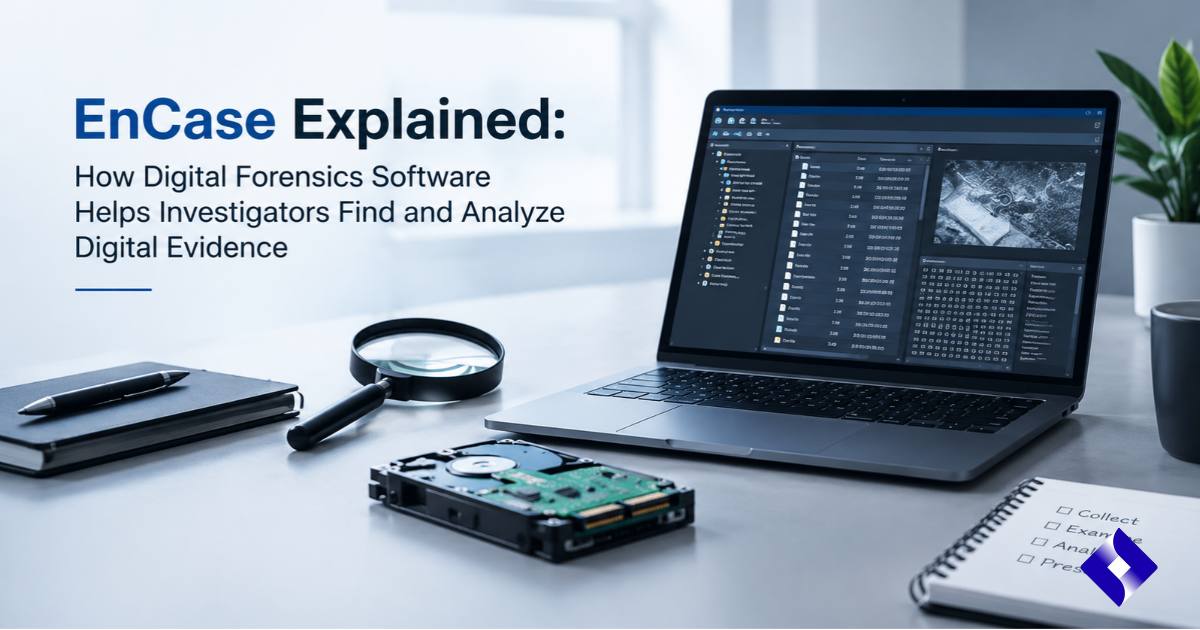

Digital devices contain valuable information about people’s activities, business operations, communications, and online interactions. When a cybercrime, data breach, internal security incident, or legal dispute occurs, investigators often need to examine this information to understand what happened. However, finding useful evidence in large amounts of digital data is not always straightforward. This is where digital forensics software becomes important.
EnCase is a well-known name in digital forensic investigations. It has been used by law enforcement agencies, corporate security teams, and forensic specialists to collect, examine, and document electronic evidence. The software provides tools that help investigators explore computer systems, analyze files, identify relevant activity, and organize findings into reports.
Although the EnCase name has evolved under OpenText, its underlying forensic technology remains an important part of the company’s digital investigation solutions. Understanding how EnCase works, what it can examine, and where its capabilities are useful can help readers better understand modern digital forensics.
What Is EnCase?
EnCase is a digital forensics technology historically developed by Guidance Software and later acquired by OpenText. It is designed to help trained investigators collect, preserve, process, and analyze digital evidence from computers and other supported sources.
The software has traditionally been associated with computer forensic investigations, where specialists examine storage devices, operating system information, deleted files, user activity, and other digital records. Instead of manually reviewing thousands of files, investigators can use forensic tools to organize information and identify material relevant to an investigation.
EnCase Forensic is now known as OpenText Forensic following OpenText’s product rebranding. The familiar EnCase technology continues to support digital evidence investigations within the company’s broader forensic and incident response portfolio.
The technology is particularly relevant when investigators need a structured approach to examining electronic information while maintaining proper evidence-handling procedures.
How Does EnCase Work?
EnCase follows a structured digital investigation process. Investigators begin by identifying relevant devices or data sources, collecting available information, and preserving it for examination. They then use forensic analysis tools to locate important files, review system activity, and identify relationships between different pieces of evidence.
The process generally involves several stages.
| Investigation stage | What happens | Why it matters |
| Evidence identification | Investigators identify computers, storage devices, and other relevant sources. | Establishes which sources may contain useful information. |
| Evidence acquisition | Digital information is collected using appropriate forensic procedures. | Creates a reliable basis for further examination. |
| Evidence preservation | Investigators protect the collected information and document its integrity. | Helps establish that evidence has not been improperly altered. |
| Data processing | Files, metadata, and supported system artifacts are organized and indexed. | Makes large datasets easier to examine. |
| Evidence analysis | Examiners search for relevant information, activity, and relationships. | Helps answer investigative questions. |
| Reporting | Findings and supporting details are documented. | Makes results easier to review and communicate. |
Each stage contributes to a more organized investigation. The exact workflow depends on the device, evidence source, software version, and requirements of the case.
Key Features of EnCase Digital Forensics Software
EnCase has developed a reputation for its detailed evidence examination capabilities. Its forensic tools help specialists investigate different types of digital information without relying entirely on manual file inspection.
1. Digital Evidence Acquisition
Evidence acquisition is one of the most important parts of a forensic investigation. Before examining a computer or storage device, investigators need to collect the relevant information using appropriate procedures.
EnCase Forensic provides acquisition capabilities for supported devices and storage sources. Depending on the investigation and configuration, examiners can create forensic images that allow them to examine collected information without repeatedly working directly on the original device.
This approach is useful when investigators need to preserve a reliable copy of the available digital evidence.
2. Deleted File Examination
Deleting a file does not always mean that its underlying data immediately disappears from a storage device. Depending on the file system, storage activity, encryption, and subsequent overwriting, some deleted information may remain recoverable.
EnCase provides forensic examination capabilities that can help investigators locate and examine deleted or otherwise difficult-to-find information.
For example, an investigation involving suspected unauthorized data removal may require an examiner to determine whether relevant files were deleted and whether recoverable information remains available.
However, recovery is not guaranteed. If information has been overwritten, securely erased, or made inaccessible through other processes, it may not be possible to restore it.
3. File System and Metadata Analysis
Files contain more information than their visible names and contents. Metadata can provide useful details about how information is stored and organized.
EnCase helps forensic examiners investigate supported file systems and examine relevant metadata. This may include file properties, timestamps, directory structures, and other technical details.
Such information can help investigators understand how a system was used and identify activity that deserves further examination.
It is important to interpret timestamps carefully because system settings, time zones, copying operations, and other technical factors can affect how they should be understood.
4. Keyword Search and Data Indexing
Large investigations can involve thousands or even millions of files. Reviewing every item manually would take considerable time.
EnCase includes search and indexing capabilities that help investigators locate relevant information using keywords and other supported criteria.
For instance, an examiner investigating suspected confidential data exposure may search for particular document names, business terms, or other relevant information.
Search results can narrow the investigation, although finding a keyword does not automatically establish wrongdoing. Each result needs to be examined in its proper context.
5. Timeline and Activity Examination
Understanding when digital activity occurred is often essential to an investigation.
EnCase provides tools for examining timestamps and relevant system artifacts. Investigators can use available information to build a clearer picture of events and compare activity across different sources.
A timeline may help connect file access, document changes, system events, and other recorded activity.
However, a timeline is not automatically a complete record of everything that happened. Investigators must consider missing logs, timestamp reliability, system configuration, and other limitations.
6. Mobile and Other Digital Evidence Support
Modern investigations are not limited to desktop computers. Smartphones, tablets, removable storage, and other digital sources can also contain important information.
OpenText’s forensic solutions provide support for various device types and evidence sources, depending on the product, version, and available acquisition methods.
Mobile evidence may include supported application artifacts, files, device information, and other records.
Investigators must follow appropriate legal and technical procedures when accessing personal devices and protected information.
7. Evidence Reporting and Documentation
A digital investigation needs more than technical findings. Examiners must explain what they examined, which methods they used, and what they discovered.
EnCase provides reporting capabilities that help organize investigative results into understandable documentation.
Reports can include relevant file information, examination details, and supporting findings. These records help other investigators, legal professionals, and authorized reviewers understand the examination.
The quality of a report depends on accurate documentation and careful interpretation. Using forensic software does not automatically make every conclusion legally admissible.
What Types of Digital Evidence Can EnCase Help Investigate?
Digital evidence can come from different sources, depending on the investigation. EnCase’s forensic capabilities have traditionally focused on computer-based evidence, while the wider OpenText portfolio covers additional sources.
| Evidence type | Examples of information | Potential investigative value |
| Computer files | Documents, images, spreadsheets, and PDFs | Helps identify relevant information and stored records. |
| Deleted data | Recoverable deleted files and file fragments | May reveal information that is no longer visible through normal browsing. |
| System artifacts | Operating system records and configuration information | Helps examine system activity and changes. |
| Browser information | Supported browsing history and related artifacts | May provide context about internet activity. |
| File metadata | Timestamps, file properties, and directory information | Helps establish relationships between files and events. |
| Email records | Supported email messages and attachments | Can help examine business communications. |
| Mobile evidence | Supported mobile files and application artifacts | May provide additional information about device activity. |
| External storage | USB drives and other supported storage media | Helps examine information stored outside the main computer. |
Not every source is accessible in every version of the software. Device compatibility, encryption, operating systems, application formats, and acquisition permissions can affect the information available to an examiner.
Common Uses of EnCase in Digital Investigations
EnCase technology has applications across law enforcement, corporate security, legal investigations, and other professional environments.
Cybercrime Investigations
Cybercrime investigations often involve examining computers and storage devices to identify relevant files, system activity, and other digital records.
EnCase can help forensic examiners organize and analyze this information. The findings may contribute to investigations involving unauthorized access, data theft, or other suspected digital offences.
Corporate Security Investigations
Organizations sometimes need to investigate suspicious activity involving company-owned devices and information systems.
For example, a business may investigate whether confidential documents were accessed or copied without authorization. Forensic examination can help identify relevant files, system records, and other available evidence.
These investigations should follow organizational policies, applicable privacy laws, and proper authorization procedures.
Data Breach Investigations
After a cybersecurity incident, investigators need to understand what happened and determine which systems or information may have been affected.
Forensic tools can help examine relevant system records, files, and other evidence sources. EnCase-based technology may contribute to this process by supporting detailed evidence collection and examination.
It is important to distinguish forensic investigation from immediate threat detection and response. A forensic examination helps establish what happened, while other security tools may be needed to detect and contain an ongoing attack.
Legal and Internal Investigations
Digital records may become relevant during employment disputes, regulatory reviews, intellectual property investigations, and other legal matters.
EnCase can help authorized examiners collect and examine stored information electronically.
The resulting findings may support legal review, but their admissibility depends on the applicable legal standards, evidence-handling procedures, and the quality of the examination.
Benefits of Using EnCase for Digital Forensics
EnCase has remained a recognized name in digital investigations because of its focus on detailed evidence examination and structured forensic workflows.
| Benefit | Explanation |
| Detailed examination | Helps investigators examine files, metadata, and supported system artifacts. |
| Evidence preservation | Supports forensic acquisition and documented evidence-handling processes. |
| Efficient searching | Search and indexing features help locate relevant information in large datasets. |
| Broader evidence coverage | Supports different types of devices and data sources, depending on the product configuration. |
| Organized investigations | Provides tools for managing evidence examination workflows. |
| Reporting capabilities | Helps document findings for authorized reviewers and other professionals. |
| Repeatable processes | Structured workflows can help investigators apply consistent examination methods. |
These benefits are particularly useful when an investigation involves large amounts of information or requires detailed technical documentation.
What Are the Limitations of EnCase?
Although EnCase offers extensive forensic capabilities, it is not a solution to every digital investigation challenge.
Understanding its limitations is important before selecting or using any forensic platform.
| Limitation | What users should understand |
| Technical knowledge | Effective forensic examination requires appropriate training and technical understanding. |
| Licensing and cost | Professional forensic software may require a paid license and additional resources. |
| Recovery restrictions | Deleted information cannot always be recovered, especially when data has been overwritten. |
| Encryption challenges | Access to encrypted information may require valid credentials, keys, or other authorized methods. |
| Device compatibility | Support varies according to the product version, device, operating system, and evidence source. |
| Processing requirements | Large evidence collections may require significant storage, memory, and processing capacity. |
| Interpretation risks | Software findings need professional interpretation and should not be treated as automatic proof of wrongdoing. |
Another important consideration is legal compliance. Investigators must have the necessary authority to collect and examine information. Even technically successful evidence acquisition may be inappropriate if the required legal procedures were not followed.
EnCase vs. Traditional Manual Digital Investigation
Traditional digital investigations may involve manually reviewing files, examining system information, and documenting relevant findings.
While manual examination remains valuable, it can become difficult when investigators have to work with large datasets or multiple devices.
EnCase provides a more structured environment for collecting, processing, searching, and documenting digital evidence.
| Comparison factor | Manual investigation | EnCase-based investigation |
| Data examination | Relies heavily on individual inspection methods. | Provides integrated forensic examination tools. |
| Search process | Can require considerable manual effort. | Offers indexing and search capabilities. |
| Evidence collection | Depends on the tools and procedures used by the examiner. | Supports dedicated forensic acquisition workflows. |
| Data organization | Often requires separate methods for organizing information. | Provides an investigative workspace for evidence management. |
| Reporting | May require manually preparing documentation. | Includes forensic reporting capabilities. |
| Large investigations | Can become time-consuming. | Provides processing and analysis features designed for larger evidence collections. |
The choice between manual methods and specialized software depends on the investigation. Professional examiners may use both approaches to verify findings and investigate unusual technical situations.
Is EnCase Still Available in 2026?
Yes, but the product naming has changed.
OpenText announced a rebranding of its EnCase product family in February 2026. The technology has not simply disappeared; it continues within OpenText’s broader digital forensics and incident response portfolio.
The familiar EnCase Forensic product is now called OpenText Forensic. EnCase Endpoint Investigator has also transitioned to the OpenText Endpoint Investigator name.
This distinction matters because older tutorials, training materials, technical discussions, and online searches may still use the EnCase name.
People researching the software should check the current OpenText product documentation to understand the latest features, supported platforms, licensing arrangements, and product requirements.
Who Should Use EnCase?
EnCase is designed primarily for professional digital investigation environments rather than ordinary everyday computer use.
Its capabilities are particularly relevant to people who need to examine digital evidence systematically.
| User group | How the technology may help |
| Digital forensic examiners | Collect and analyze digital evidence during formal investigations. |
| Law enforcement agencies | Examine electronic records related to authorized investigations. |
| Corporate security teams | Investigate suspected misuse of company systems and information. |
| Incident response specialists | Examine evidence associated with cybersecurity incidents. |
| Legal investigation professionals | Support the examination and documentation of electronic information. |
| Forensic laboratories | Process and analyze digital evidence using structured workflows. |
Organizations considering the software should evaluate their investigation requirements, staff expertise, supported devices, and licensing needs before making a decision.
Frequently Asked Questions
1. What is EnCase used for?
EnCase is used in digital forensics to collect, preserve, examine, and report on electronic evidence. It helps trained investigators analyze computers, storage devices, and other supported digital sources.
2. Can EnCase recover deleted files?
EnCase can help identify and examine recoverable deleted information from supported storage sources. However, successful recovery depends on the file system, storage activity, and whether the original data has been overwritten.
3. Is EnCase still used in digital forensics?
Yes. Its technology continues within OpenText’s digital forensics portfolio. EnCase Forensic is now known as OpenText Forensic following the company’s 2026 rebranding.
4. Is EnCase suitable for beginners?
EnCase is professional forensic software that requires technical knowledge and appropriate training. Beginners can learn its workflows, but understanding file systems, evidence preservation, and digital investigation principles is important.
5. Can EnCase analyze mobile devices?
OpenText’s forensic solutions support various mobile evidence collection and examination capabilities. Actual support depends on the device, operating system, acquisition method, and product configuration.
6. Does EnCase guarantee court-admissible evidence?
No software can independently guarantee that evidence will be accepted in court. Admissibility depends on legal requirements, proper authorization, evidence integrity, documented procedures, and the quality of the examination.
7. What is the difference between EnCase and OpenText Forensic?
OpenText Forensic is the current name for the product formerly known as EnCase Forensic. The name changed as part of OpenText’s broader product rebranding, while the underlying forensic technology continues.
8. Is EnCase used for cybersecurity investigations?
Yes. EnCase-based technology can help investigators examine digital evidence associated with cyber incidents, suspicious system activity, and data breaches. It is generally used alongside other security and incident response tools.
Conclusion
EnCase has played an important role in the development of professional digital forensics by providing tools for collecting, examining, and documenting electronic evidence. Its capabilities help investigators explore computer systems, analyze supported digital records, identify potentially relevant information, and prepare structured reports.
Although the familiar EnCase brand has evolved into OpenText’s current product portfolio, its forensic technology remains relevant to modern digital investigations. Understanding how it works, what evidence it can examine, and where its limitations exist helps organizations and readers make better-informed decisions about digital evidence management.
As cyber incidents and digital investigations become increasingly complex, reliable evidence collection and careful analysis remain essential. Tools such as OpenText Forensic can support this work, but accurate conclusions still depend on trained professionals, sound investigative procedures, and responsible interpretation of the available evidence.