


Introduction
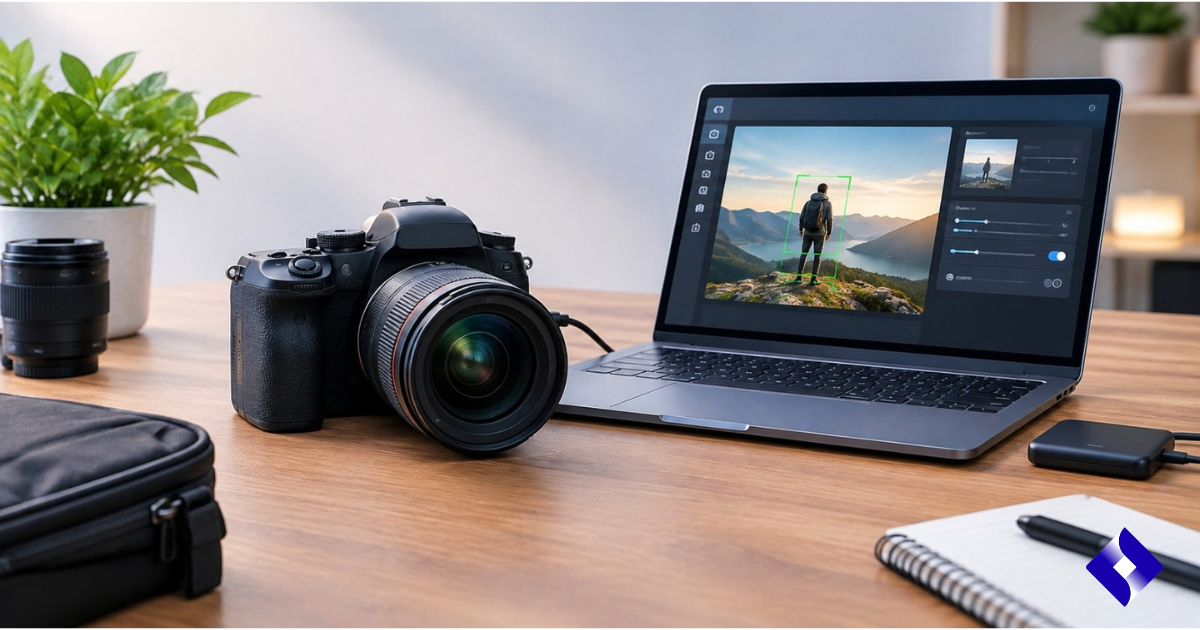
Artificial intelligence has transformed how modern cameras capture, process, and enhance images. AI-powered DSLRs combine traditional photographic controls with intelligent features such as automatic scene recognition, autofocus optimization, subject tracking, and intelligent image processing. However, proper installation and setup are essential for optimal results.
An AI-powered DSLR camera setup guide helps users understand the entire setup process, from preparing their camera equipment to adjusting software settings and connecting compatible devices. Whether you’re a beginner exploring smart photography features or a professional looking to streamline your workflow, proper setup is essential for reliable performance.
Unlike standard DSLR cameras, AI-powered models typically include advanced systems that require firmware updates, app connectivity, calibration, and custom settings. This guide clearly explains each step so users can easily install and configure their AI-powered DSLR camera.
Table of Contents
- Understanding an AI DSLR Camera
- Prerequisites for installation
- How to install an AI DSLR camera step by step
- Configuring AI functions and camera settings
- Key features of AI DSLR cameras
- Benefits of proper AI DSLR camera settings
- Common installation problems and solutions
- Advantages and disadvantages of AI DSLR cameras
- Frequently Asked Questions
- Conclusion
- Key findings
Understanding an AI DSLR Camera
An AI-powered DSLR is a single-lens camera that uses artificial intelligence technologies to enhance its performance in photography and video. Traditional DSLRs rely primarily on manual settings and built-in autofocus systems, while AI-powered models use machine learning algorithms to analyze scenes and subjects in real time.
These cameras can recognize different objects, detect faces, track moving subjects, and automatically adjust settings based on lighting conditions. The AI features are designed to assist photographers, reducing manual adjustments and maintaining creative control.
The installation process may vary depending on the camera’s make and model. Some systems only require firmware configuration, while others may involve connecting mobile apps, external AI processors, or cloud-based tools.
Prerequisites for installing an AI DSLR camera
Before beginning the installation process, prepare all the necessary equipment and information. Proper preparation prevents configuration errors and ensures the camera functions correctly.
Check camera compatibility
First, check that your camera is compatible with AI-based features. Some DSLR models may require specific firmware versions or compatible accessories to enable advanced functions.
Consult the manufacturer’s documentation to understand supported features, operating systems, and connection requirements.
Prepare the essential equipment
You may need the following items:
- AI DSLR Camera Body
- Compatible lens
- Battery fully charged
- Memory card
- USB cable or wireless connection
- Smartphone or computer for configuration
- Latest firmware version
Having these components ready makes the installation process faster and easier.
Update the camera firmware
Firmware updates typically include performance improvements, bug fixes, and new AI features. Before setting up your camera, check if a newer firmware version is available.
Sometimes, installing outdated firmware can limit AI functions or cause compatibility issues with connected devices.
How to install an AI DSLR camera step by step
Step 1: Assemble the camera hardware
To begin, attach the compatible lens to the camera body. Make sure the lens is securely attached to avoid communication problems between the camera and the lens system.
Insert a formatted memory card and install a fully charged battery before turning on the camera.
Step 2: Turn on the device and complete the initial setup.
Turn on the camera and follow the initial setup instructions that appear on the screen.
Most cameras require users to select:
- Language preference
- Date and time
- Regional settings
- Image format preferences
- Basic shooting mode
These adjustments lay the foundation for the camera’s future operation.
Step 3: Connect the camera to the necessary devices.
Many DSLR cameras with artificial intelligence can connect to smartphones, tablets, or computers via Wi-Fi, Bluetooth, or USB connections.
Install the recommended camera app and pair your device following the instructions. This connection allows users to transfer images, update settings, and access additional AI tools.
Step 4: Install the necessary software or applications
Some cameras with artificial intelligence require specific software for their advanced configuration.
After installing the application:
- Create your account or log in if necessary.
- Connect the camera to the software.
- Grant the necessary permissions.
- Check for available updates.
- Enable compatible AI features.
Always download software from official sources to reduce security risks.
Configuring AI functions and camera settings
After installation, proper configuration helps the camera understand your recording needs.
Enable autofocus and subject detection using AI
AI-powered autofocus systems can identify specific people, animals, vehicles, or objects, depending on the camera model.
Users should customize autofocus settings according to their photographic style. For example, sports photographers might prioritize continuous tracking, while portrait photographers might prefer face and eye detection.
Adjust image processing settings
AI-powered image processing can automatically enhance details, reduce noise, and optimize colors.
However, photographers who prefer complete creative control can adjust processing levels manually. Finding the right balance between automation and manual adjustment is crucial.
Configure connectivity features
Wireless features allow for faster image transfer and remote camera control.
Check the settings, for example:
- Wi-Fi connection
- Bluetooth pairing
- Remote access for shooting
- Cloud synchronization options
A proper connectivity setup improves workflow efficiency.
Calibrate the camera system
Some AI-powered DSLR cameras require calibration for accurate autofocus and tracking.
Calibration may include:
- Lens adjustment
- Focal tests
- Sensor cleaning
- AI recognition configuration
Periodic calibration helps maintain consistent results.
Key features of AI DSLR cameras
AI includes several smart technologies designed to improve photographic performance.
Intelligent subject recognition
AI algorithms analyze scenes and identify common subjects. This helps the camera select the appropriate autofocus settings and exposure adjustments.
Advanced autofocus tracking
The AI-powered autofocus system can track moving subjects more accurately compared to traditional autofocus systems.
This function is useful for nature photography, sporting events, and dynamic video recording.
Automatic scene optimization
AI systems can recognize different environments, such as landscapes, portraits, or low-light situations, and optimize camera settings accordingly.
Intelligent image enhancement
Artificial intelligence processing improves image quality by analyzing brightness, contrast, colors, and noise levels.
Benefits of proper AI DSLR camera settings
Proper installation and setup offer several advantages for photographers.
Improved photographic performance
A properly configured AI DSLR camera can respond faster and deliver more consistent results under different shooting conditions.
Improved workflow
Connected apps and smart features reduce manual adjustments, allowing photographers to focus more on composition and creativity.
More precise focus
AI-powered autofocus adjustments help capture sharper images, especially when photographing moving subjects.
Easier learning experience
Beginners can use AI assistance to understand camera settings while gradually developing their manual photography skills.
Common installation problems and solutions
The camera does not connect to the mobile app.
If the camera does not connect:
- Check your Bluetooth or Wi-Fi settings.
- Restart both devices.
- Update your camera app.
- Disconnect and reconnect the device.
The AI functions are not working.
Possible causes include outdated firmware, incompatible lenses, or disabled settings.
Check the camera menu and confirm that the AI features are enabled.
Autofocus performance issues
Poor autofocus performance may be due to incorrect calibration, low light, or unsuitable focus modes.
Try adjusting your autofocus settings or performing a system calibration.
Advantages and disadvantages of AI DSLR cameras
| Advantages | Disadvantages |
| Faster autofocus performance | Higher cost compared to basic DSLR cameras. |
| Intelligent subject recognition | Advanced settings may require learning. |
| Best automation for beginners | AI features may consume more battery power. |
| Greater shooting efficiency | Some functions depend on software support. |
| Useful for professional workflows | It requires periodic updates |
Frequently Asked Questions
What is an AI DSLR camera?
An AI DSLR camera is a digital camera that uses artificial intelligence technology to improve autofocus, image processing, scene recognition, and photographic assistance.
What power supply does the AI DSLR camera need?
The AI DSLR camera requires a PoE+ power supply with a DC input of 37 to 57 V, providing approximately 17.77 W for reliable operation. This enables the operation of its advanced camera and AI processing features.
What is the operating temperature range?
The AI DSLR camera is designed to operate in temperatures ranging from -20°C to 40°C (-4°F to 104°F). This allows it to deliver effective performance in a variety of indoor and outdoor environments.
Can it be mounted on a pole?
Yes, the AI DSLR supports pole mounting with compatible diameters between 1.5 and 2 inches (38–50 mm). This makes it ideal for flexible installation setups.
What lenses are compatible?
The AI DSLR supports interchangeable Micro Four Thirds lenses, including options such as the M.Zuiko Digital ED 17mm PRO and 45mm PRO lenses. These lenses offer flexibility for a variety of photography and video applications.
Conclusion
Properly installing and configuring an AI-powered DSLR is essential to unlocking its full potential. From firmware updates and device connections to customizing autofocus and AI function settings, every step contributes to improved camera performance.
An effective setup guide for AI-powered DSLR cameras helps users avoid common configuration mistakes and enjoy a smoother photography experience. While AI technology simplifies many camera operations, understanding the available settings allows photographers to maintain creative control.
Whether you’re capturing professional images, recording videos, or exploring photography as a beginner, proper setup ensures your AI DSLR delivers reliable and consistent results.
Key findings
- Always check camera compatibility before installation.
- Update the firmware to access the latest features and improvements.
- Configure the autofocus and AI recognition settings according to your needs.
- Connect the official apps for easier image control and management.
- Periodic calibration helps maintain accurate performance.
- AI features help photographers, but they work best in combination with creative control.