



Artificial intelligence is moving beyond answering questions and generating text. Newer AI systems can research topics, organize information, analyze data, create digital content, and complete tasks that involve several steps. This shift has made AI agents an important development for people looking to understand how automation may change everyday work.
Manus AI is an AI agent platform designed to plan and carry out tasks rather than simply respond to individual prompts. Depending on the task and the features available, it can support activities such as web research, data analysis, website development, presentation creation, and workflow automation.
However, understanding what Manus AI can do requires more than looking at its advertised capabilities. Users also need to know how it works, what makes it different from a traditional chatbot, where its results may fall short, and when human review remains necessary.
This guide explains Manus AI in practical terms, helping beginners, professionals, students, and business owners decide how the technology might fit into their work.
What Is Manus AI?
Manus AI is an AI agent platform developed to handle multi-step tasks with a degree of autonomy. Instead of providing only a written answer, it can work through a task, use available tools, gather information, and produce an output such as a research report, presentation, or digital project.
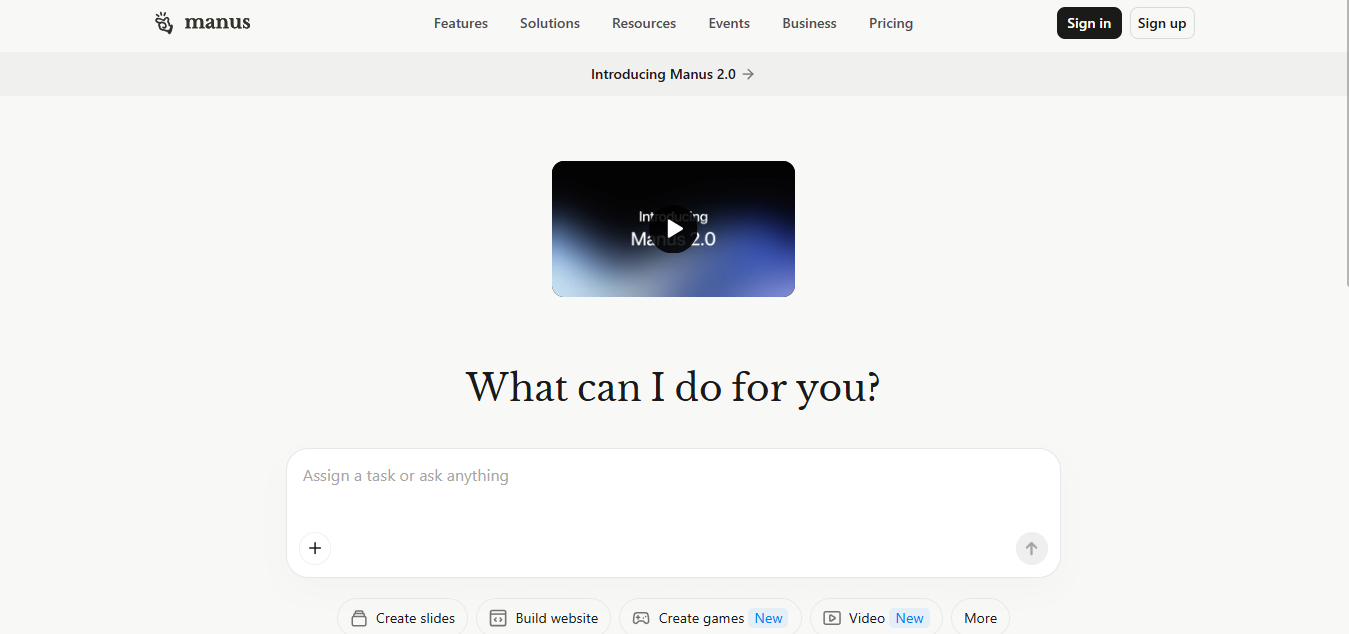
Traditional AI chatbots generally focus on responding to questions, explaining concepts, or generating content within a conversation. An AI agent can take a broader approach by breaking a request into smaller steps and working through those steps to reach a defined outcome.
For example, a user could ask for an overview of a market, including relevant companies, current developments, and a structured summary. Rather than answering with a short explanation alone, an agent-based system may search for information, organize findings, compare sources, and assemble a report.
The exact process and final result depend on the task, the instructions provided, and the tools available to the system.
Manus provides different ways to interact with its capabilities. Its official documentation distinguishes between Chat Mode, which is designed for conversations and quick answers, and Agent Mode, which is intended for more complex tasks and workflows. You can explore the details in the official Manus Help Center.
The important distinction is that Manus AI is not just a place to ask questions. It is designed to help move a task from an initial instruction toward a usable result.
How Does Manus AI Work?
Manus AI follows an agent-based approach to completing tasks. The system interprets the user’s request, determines what needs to be done, uses available capabilities, and works toward producing an output.
Although the precise internal process can vary, the general workflow can be understood through several stages.
1. Understanding the User’s Request
The process begins when a user describes a task. The quality of the result depends partly on how clearly the request explains the objective, requirements, and expected outcome.
For example, asking Manus AI to research a business topic is relatively broad. Asking it to compare five companies, examine their publicly available services, organize the findings in a table, and identify the sources used provides a much clearer direction.
A well-defined request gives the system a better basis for determining what information to collect and how to present the result.
2. Breaking the Task Into Smaller Steps
Some tasks cannot be completed through a single search or response. They require research, analysis, organization, and sometimes the creation of a separate deliverable.
An AI agent can divide a larger request into smaller activities and work through them in a logical sequence. A research project, for instance, might involve identifying relevant sources, collecting information, comparing findings, and preparing a summary.
This approach is useful because it helps organize complicated work into manageable stages. However, planning a task does not guarantee that every step will be completed correctly.
3. Using Available Tools and Information
Depending on the task and the enabled features, Manus AI can use capabilities such as web research, file processing, coding, and content creation.
These capabilities allow the system to do more than generate text from a prompt. It may gather information from online sources, work with uploaded materials, analyze structured data, or create a digital output.
The tools available for a particular task matter. A system cannot reliably complete an activity that requires information, permissions, or capabilities it does not have.
4. Producing the Requested Output
After working through the relevant steps, Manus AI can produce a deliverable suited to the task. This might be a written report, a presentation, a website, a data summary, or another supported output.
Users should treat the result as a starting point for review rather than assuming it is automatically ready for professional use. Checking facts, testing functionality, and confirming that the output meets the original requirements remain important.
The following table summarizes the general workflow.
| Stage | What Happens | What Users Should Check |
| Request interpretation | The system identifies the intended outcome | Whether the instructions are clear |
| Task planning | The work is divided into smaller activities | Whether important requirements are included |
| Information gathering | Available tools collect or process relevant information | Whether the sources are reliable and current |
| Task execution | The system carries out the planned activities | Whether the work follows the instructions |
| Output creation | A report, presentation, website, or other result is produced | Whether the result is accurate and complete |
| Final review | The user evaluates the deliverable | Whether corrections or additional verification are needed |
This process explains why Manus AI may be useful for tasks that require several connected activities. It also shows why clear instructions and careful review remain essential.
What Can Manus AI Do?
Manus AI supports a range of activities involving research, digital creation, analysis, and automation. Its capabilities continue to evolve, so the features available to an individual user may depend on the current product version, account, and task settings.
The following examples illustrate practical ways an AI agent can support different types of work.
Research and Information Gathering
Research often requires more than finding a single webpage. Users may need to compare multiple sources, identify patterns, understand different viewpoints, and organize the results into a useful format.
Manus AI can assist with research tasks by gathering publicly available information and helping organize findings into structured summaries or reports.
For example, a small business owner researching a new market could request a comparison of competing products, their stated features, customer groups, and publicly available pricing information.
The resulting report may help the owner understand the market more quickly. However, important claims should still be checked against original sources, particularly when decisions depend on current prices, regulations, or financial information.
Data Analysis and Reporting
Working with spreadsheets can involve cleaning information, calculating totals, comparing categories, identifying patterns, and presenting findings clearly.
Manus AI can support data-related tasks when the necessary tools and file formats are available. This may help users turn a large collection of figures into a more understandable report.
Consider a small retailer reviewing monthly sales data. An agent could help summarize revenue by product category, compare performance across months, and identify areas that deserve closer investigation.
| Data Task | Potential Use | Important Check |
| Data organization | Arrange information into a consistent structure | Confirm that no important records were lost |
| Summary calculations | Calculate totals, averages, or category comparisons | Recheck formulas and sample calculations |
| Trend analysis | Identify changes over time | Distinguish actual trends from unusual fluctuations |
| Report creation | Present findings in a readable format | Confirm that conclusions match the underlying data |
| Visualization | Create charts or other visual summaries | Check labels, units, and scales |
AI-assisted analysis can reduce repetitive work, but it should not replace proper data validation. Errors in the original information or the analysis process can lead to misleading conclusions.
Website and Application Development
Manus AI also offers capabilities related to website and application development. Depending on the task and available features, it can help transform a description of a digital product into an initial implementation.
For example, a user might request a simple website with a homepage, an informational section, a contact form, and a responsive layout. An AI agent may help generate the structure and code needed to create an initial version.
This can make experimentation more accessible to people who do not have extensive programming experience. Developers may also use AI-generated code as a starting point for routine implementation work.
However, generating a website does not automatically make it production-ready. Security, accessibility, performance, browser compatibility, data handling, and functionality all require appropriate testing.
Presentation and Content Creation
Preparing presentations and other digital materials often involves collecting information, developing a structure, writing content, and arranging it into a consistent format.
Manus AI offers features for creating presentations and other media, which can help users develop an initial draft more efficiently.
A teacher, for example, might use an AI agent to organize a lesson into sections and prepare a presentation outline. A business professional could use it to structure a project update or summarize research for a meeting.
The output still needs editorial review. An attractive presentation may contain inaccurate information, weak reasoning, or content that does not suit the intended audience.
Workflow Automation
Some tasks are repeated frequently and follow a similar sequence each time. Examples include preparing routine reports, organizing information, processing documents, or collecting updates from specified sources.
Manus AI offers automation-related features designed to help users organize and automate certain workflows.
A practical example would be a team that regularly compiles information from several sources into a weekly report. Where supported, an automated workflow could assist with gathering information and preparing a consistent draft.
The usefulness of automation depends on how predictable the task is, whether the required integrations are available, and how easily mistakes can be detected. Sensitive or consequential actions should have appropriate permission controls and human oversight.
Manus AI vs Traditional AI Chatbots
One of the most common questions about Manus AI is how it differs from a conventional AI chatbot.
The main distinction is the intended workflow. A chatbot generally focuses on answering questions and helping users develop ideas through conversation. An AI agent is designed to carry out a sequence of activities toward a defined objective.
The distinction is not absolute. Modern chatbots may also use tools, search the web, analyze files, and perform multi-step tasks. The actual differences depend on the specific products and modes being compared.
| Area | Traditional Chatbot Use | AI Agent Use |
| Main purpose | Answer questions and assist through conversation | Work toward a defined task or outcome |
| Task structure | Often responds directly to each prompt | Can plan and execute multiple connected steps |
| Research | May explain a topic or search when supported | Can organize research activities into a broader workflow |
| Digital deliverables | Can generate text and other supported content | May create structured outputs such as reports, presentations, or websites |
| User involvement | Often requires follow-up prompts | May perform more steps without continuous guidance |
| Reliability | Requires verification of important claims | Also requires verification of facts, actions, and final outputs |
| Best use | Explanations, brainstorming, drafting, and interactive help | Multi-step tasks that benefit from planning and tool use |
Neither approach is automatically better for every situation. A simple question may be easier to handle with a conversational chatbot, while a complex research or production task may benefit from an agent-based workflow.
The most appropriate choice depends on the work you need to complete, the tools available, the time involved, and the level of control you want to maintain.
Where Manus AI’s Limitations Matter
Understanding the limitations of Manus AI is just as important as understanding its capabilities. AI agents can perform useful work, but they can also misunderstand instructions, use unsuitable sources, make reasoning errors, or produce incomplete deliverables.
Knowing where these problems may arise helps users decide which tasks can be delegated and which require closer supervision.
Accuracy and Incorrect Information
An AI agent may produce information that sounds convincing but is incorrect. It can misunderstand a source, overlook an important detail, or draw a conclusion that the available evidence does not support.
This is particularly important for research involving legal requirements, medical information, financial decisions, or technical specifications.
Users should check significant claims against trustworthy original sources. When a result includes references, those references should be opened and reviewed to confirm that they support the statements being made.
Dependence on Instructions
Broad instructions can produce broad or inconsistent results. If a task does not specify the audience, scope, format, or desired level of detail, the system may make assumptions that do not match the user’s needs.
For example, asking for a report on digital marketing may lead to a general overview. Asking for a report comparing three marketing approaches for a small online retailer, including costs, benefits, limitations, and measurable outcomes, creates a clearer target.
Good instructions improve the chances of receiving a useful result, although they cannot eliminate errors entirely.
Incomplete or Outdated Information
Online information changes frequently. Product features, business details, regulations, and market conditions may become outdated, while some relevant sources may be unavailable.
An AI agent’s ability to gather current information depends on its browsing capabilities, the sources it can access, and the time of research.
For time-sensitive work, users should check publication dates, confirm important details directly with the relevant organization, and distinguish verified facts from estimates or assumptions.
Errors in Generated Websites or Code
Code generation can speed up development, but generated software may contain bugs, security weaknesses, or compatibility problems.
A website may appear to work while failing under certain conditions. A form may look correct but not submit data properly, and an application may not handle unusual inputs as expected.
Developers should review the code, run appropriate tests, inspect dependencies, and check security before deploying generated work. Less experienced users should seek qualified assistance when a project handles sensitive data or performs important functions.
Limited Understanding of Business Context
An AI agent may process information without fully understanding the context in which a business operates. It may overlook organizational priorities, customer expectations, local requirements, or details that were never included in the instructions.
For example, a suggested workflow may look efficient on paper but conflict with a company’s existing processes.
Human judgment is therefore important when interpreting recommendations and deciding whether they are suitable for a particular organization.
Time, Usage, and Feature Constraints
Complex tasks may require more processing, more time, or more resources than simple requests. Available features and usage limits can also differ across account plans and product versions.
Before relying on Manus AI for recurring professional work, users should review the current pricing, usage rules, supported features, and any applicable restrictions through the official Manus website.
This helps prevent a workflow from depending on a feature or usage allowance that is not available when needed.
How to Get Better Results From Manus AI
The quality of an AI agent’s output depends partly on how the task is defined and how the result is evaluated. A clear process can reduce unnecessary revisions and make the final deliverable more useful.
The following practices are especially helpful for beginners.
Define the Desired Outcome
Start by describing what you want to achieve rather than simply naming a broad topic. Specify the intended result, who will use it, and what information it should contain.
For example, instead of requesting research about competitors, ask for a comparison of five competitors based on their publicly stated services, target audiences, and published prices. Request a table and links to the original sources.
This gives the system clearer criteria for completing the task.
Provide Relevant Context
Include background information that could affect the result. Depending on the task, this may include the target audience, geographical area, time period, preferred format, available files, or technical requirements.
Avoid sharing confidential information unless it is necessary and you have checked the relevant privacy settings and data-handling terms.
Break Large Projects Into Stages
Large tasks can be easier to manage when completed in stages. For example, a market research project might begin with defining the research questions, continue with source gathering, and then move to comparison and report preparation.
Reviewing intermediate results gives you an opportunity to correct misunderstandings before they affect the entire project.
Ask for Evidence and Clear Assumptions
For factual research, request links to original sources and ask the system to distinguish confirmed information from estimates or uncertain conclusions.
A reference is not proof by itself. Open the source and confirm that it supports the statement for which it is being used.
Review the Final Deliverable
Before using the output, compare it with the original requirements. Check facts, calculations, formatting, completeness, and any actions that may have been taken.
For a website, test the main functions. For a report, verify important claims. For a spreadsheet, recheck formulas and sample calculations.
These checks are especially important when an error could affect customers, finances, compliance, or business decisions.
Is Manus AI Suitable for Beginners?
Manus AI may be useful for beginners who want assistance with research, digital content, data organization, or other multi-step tasks without managing every individual step manually.
However, beginners should not assume that an automated result is correct simply because it looks polished. Understanding the purpose of the task and knowing how to evaluate the output remain important skills.
| User Type | Potential Benefit | What to Keep in Mind |
| Students | Organize research and develop study materials | Verify sources and follow academic integrity rules |
| Bloggers and content creators | Research topics and prepare content drafts | Fact-check claims and add original insight |
| Small business owners | Explore markets and prepare routine reports | Validate business-critical information |
| Developers | Create prototypes and assist with coding | Test security, functionality, and compatibility |
| Office professionals | Organize information and prepare documents | Check accuracy and maintain appropriate data controls |
| Teachers and trainers | Structure lessons and prepare learning materials | Review educational accuracy and suitability for learners |
Beginners will generally benefit most when they start with a manageable task, review the result carefully, and gradually explore more complex workflows.
Manus AI Privacy and Security Considerations
AI agents may process instructions, documents, uploaded files, and information obtained from connected services. This makes privacy and access control important considerations, particularly when an agent is used for work.
Before uploading files or connecting an account, users should understand what information the system can access, how that information is handled, and what permissions are required.
The official Manus Trust Center provides information about the platform’s security and compliance controls. Users should consult its current documentation and the applicable privacy policy rather than assuming that every type of data receives identical treatment.
The following table outlines sensible precautions.
| Consideration | Recommended Practice |
| Personal information | Avoid sharing unnecessary personal details |
| Confidential business files | Check applicable policies and permissions before uploading |
| Connected accounts | Grant only the access needed for the task |
| Generated or modified files | Review changes before using or distributing them |
| External actions | Confirm important actions and understand their consequences |
| Organizational requirements | Follow your employer’s data protection and security policies |
Privacy and security depend on more than the provider’s safeguards. The user’s choices, account configuration, permissions, and handling of the final output also matter.
Frequently Asked Questions
1. What is Manus AI used for?
Manus AI is an AI agent designed to handle tasks such as online research, data analysis, report writing, website development, and workflow automation. It can break complex requests into smaller steps and work toward completing them with less manual input.
2. Is Manus AI better than ChatGPT?
Manus AI may be more suitable for certain multi-step tasks, while ChatGPT is useful for conversation, writing, learning, and problem-solving. The better option depends on your specific needs, available features, and desired workflow.
3. Is Manus AI free or paid?
Manus AI has offered free access alongside paid subscription plans, with different usage limits and features. Availability and plan details can change, so check the official pricing page for current options.
4. Is Manus AI a Chinese company?
Manus AI originated from a Chinese-founded startup but later moved its headquarters to Singapore. Its corporate ownership and operations have changed over time, so its origins should be distinguished from its current company structure.
5. How much does Manus AI cost?
Manus AI pricing depends on the subscription plan, usage allowance, and billing terms. Its published pricing has included paid plans starting at $20 per month, but users should verify current prices and features on the official pricing page.
6. Is Manus AI free to use?
Access and usage conditions can vary by mode, account plan, and current product offering. Check the official Manus website for current plan details and applicable usage limits before depending on a particular feature.
Conclusion
Manus AI reflects a broader shift in artificial intelligence from generating individual responses toward helping users complete multi-step tasks. Its capabilities can support research, data analysis, digital creation, and certain forms of workflow automation, making it relevant to a wide range of personal and professional activities.
However, its value depends on the task, the quality of the instructions, the available tools, and the user’s ability to evaluate the results. Errors, incomplete information, technical limitations, and privacy considerations mean that automation should not be confused with guaranteed accuracy.
For beginners and experienced professionals alike, the most practical approach is to start with a clearly defined task, provide relevant context, check the evidence, and review the final output before relying on it.
Ultimately, understanding both the capabilities and the limitations of Manus AI helps users make better decisions about where AI agents can save time, where human judgment remains essential, and how to use automation responsibly.