

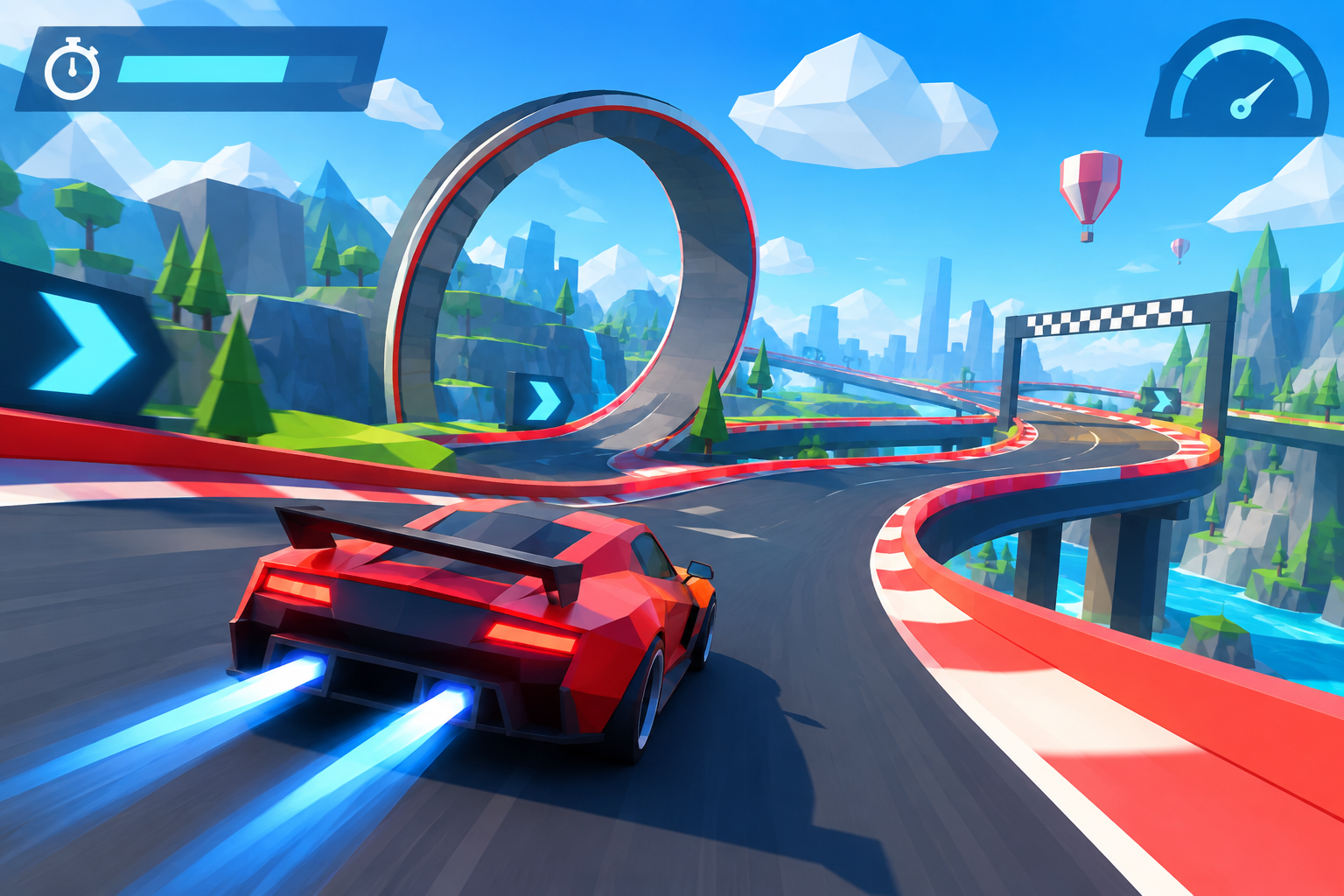

PolyTrack Unblocked is a browser-based way to play PolyTrack, a fast-paced low-poly racing game built around speed, precision, and time trials. Instead of focusing on traditional races against computer-controlled opponents, PolyTrack challenges players to complete tracks as quickly as possible and continuously improve their best times.
The concept is simple, but mastering the game can be difficult. Tracks feature sharp turns, loops, ramps, jumps, narrow sections, and other obstacles that require careful control of the car.
Because PolyTrack can run directly in a web browser, players often search for terms such as PolyTrack Unblocked, PolyTrack online, and PolyTrack browser game when they want to learn more about browser-accessible versions.
This guide explains what PolyTrack Unblocked means, how the game works, its controls, gameplay mechanics, track editor, and tips for improving your racing times.
What Is PolyTrack?
PolyTrack is a low-poly racing game focused primarily on time-trial gameplay.
The objective is straightforward: drive from the beginning of a track to the finish line in the shortest possible time.
Rather than relying on complex vehicle upgrades or lengthy racing championships, PolyTrack emphasizes driving skill. Players must learn each course, understand its obstacles, and find faster ways through difficult sections.
The basic gameplay cycle looks like this:
Choose a track → Start racing → Complete the course → Check your time → Restart → Try to improve
This simple structure makes PolyTrack easy to understand while still giving experienced players plenty of opportunities to improve.
What Does PolyTrack Unblocked Mean?
The term PolyTrack Unblocked generally refers to browser-accessible versions of PolyTrack, particularly when people are searching for a version that works on a network where gaming websites may be restricted.
However, “Unblocked” is not a separate official PolyTrack game mode.
It is primarily a search term used to describe browser-hosted versions of the game.
Depending on where someone plays, a PolyTrack Unblocked version may be:
- The regular browser version of PolyTrack
- A third-party hosted copy
- A community mirror
- An older version of the game
- A modified community build
Because different websites can host different versions, features may not always be identical.
How Does PolyTrack Work?
PolyTrack revolves around completing tracks as efficiently as possible.
Players control a small racing car and navigate courses containing different obstacles and track designs.
The timer records how long it takes to reach the finish.
Completing a track is only the beginning. The real challenge is finding ways to finish it faster.
A player might complete a course in 40 seconds during the first attempt. After learning the corners and jumps, that time might fall to 37 seconds.
Another few attempts could reduce it further.
That constant pursuit of a faster time is one of the main reasons PolyTrack can become highly replayable.
PolyTrack Controls
PolyTrack uses a relatively simple control system.
| Action | Control |
| Accelerate | W or Up Arrow |
| Brake/Reverse | S or Down Arrow |
| Steer Left | A or Left Arrow |
| Steer Right | D or Right Arrow |
| Restart | R or Enter |
The straightforward controls allow new players to start quickly.
However, knowing the controls and mastering them are two different things.
Small steering adjustments can significantly affect the car’s speed, position, and landing angle.
Why Restarting Matters in PolyTrack
Restarting is an important part of PolyTrack.
Imagine making a major mistake five seconds into a track. You could continue driving and complete the course, but the mistake has probably already ruined your chance of setting a personal record.
Instead, you can restart and immediately attempt the track again.
Fast restarting encourages experimentation.
Players can try different racing lines, cornering techniques, and approaches to jumps without spending much time recovering from failed attempts.
This creates a practice-based gameplay loop where improvement happens gradually.
Understanding Speed and Momentum
Speed is obviously important in a racing game, but PolyTrack is not simply about holding the accelerator.
Momentum matters.
Entering a corner too quickly may cause you to lose control or leave the track. Slowing down too much can make your overall time significantly worse.
The challenge is finding the fastest speed that still allows you to maintain control.
Experienced players gradually learn which corners can be taken at high speed and which sections require more careful movement.
How Jumps Work in PolyTrack
Jumps are among the most recognizable elements of PolyTrack tracks.
A successful jump depends on several factors:
- Approach speed
- Car position
- Ramp angle
- Steering direction
- Landing position
The important point is that a jump begins before the car leaves the ramp.
If your car approaches from a poor angle, correcting the mistake while airborne may be difficult.
Learning the correct approach can therefore save considerable time.
Loops and Technical Sections
Some PolyTrack courses include loops and unusual track structures.
These sections often require sufficient momentum.
Entering too slowly may prevent the car from completing the obstacle properly. Entering from the wrong angle can also create problems.
Technical sections reward players who learn the track instead of simply reacting to obstacles when they appear.
Racing Lines Matter
A racing line is the path a vehicle follows through a corner.
Choosing the correct line can allow you to maintain more speed while reducing unnecessary steering.
For example, aggressively entering a corner from the inside might appear faster.
However, if that position forces you to slow dramatically before exiting, a wider entry could actually produce a better overall time.
PolyTrack encourages players to experiment with different lines until they discover the fastest approach.
What Makes PolyTrack Different From Traditional Racing Games?
Many racing games focus on realistic vehicles, car upgrades, championships, opponents, and detailed simulation.
PolyTrack takes a more focused approach.
Its main characteristics include:
- Time-trial racing
- Low-poly graphics
- Quick restarts
- Short and repeatable races
- Loops and jumps
- Precision drivingCustom tracks
- A track editor
- Personal time improvement
Instead of asking, “Can I beat another driver?” PolyTrack often asks:
“Can I beat my previous time?”
That small difference creates a very different style of racing game.
Does PolyTrack Have a Level Editor?
Yes. PolyTrack includes a track or level editor that allows players to create their own racing courses.
Instead of only playing existing tracks, users can experiment with different layouts and obstacles.
Custom tracks can include elements such as:
- Corners
- Ramps
- Jumps
- Loops
- Straight sections
- Elevation changes
- Technical obstacles
- High-speed sections
The editor adds significant replay value because the experience does not have to end after completing the standard tracks.
Players can continue experimenting with community-created or custom courses.
Why Is the Track Editor Important?
User-generated content can dramatically extend the life of a racing game.
A fixed collection of tracks eventually becomes familiar.
Custom track creation introduces new challenges.
Some creators may design extremely short tracks focused on speed. Others may build complicated courses requiring precise control.
Players can also create experimental layouts simply to see what their cars can handle.
Building tracks can even help players understand the game better because it encourages them to think about momentum, angles, jumps, and track geometry.
Is PolyTrack Multiplayer?
PolyTrack has evolved over time, and newer official versions include multiplayer functionality.
However, players searching specifically for PolyTrack Unblocked should understand that third-party versions may not always use the latest build.
An older browser mirror may lack newer features.
This means multiplayer availability can depend on which version of PolyTrack you are playing.
If a feature appears to be missing, the website may simply be running an older build.
Can You Play PolyTrack Online?
Yes. PolyTrack is designed to support browser-based gameplay.
That accessibility is one of the major reasons people search for PolyTrack online.
Browser games can generally be started without going through the same installation process required by traditional desktop games.
However, performance can vary depending on:
- Browser
- Device
- Hardware
- Internet connection
- Game version
- Website hosting the game
Closing unnecessary browser tabs may help if performance becomes inconsistent.
Do You Need to Download PolyTrack?
A download is not necessarily required because PolyTrack has a browser version.
Players can use a compatible browser to access browser-supported versions.
Downloadable versions may also exist for players who prefer running the game outside a browser.
Whether browser or desktop play is preferable depends on the player’s device and preferences.
Can You Play PolyTrack on Chromebook?
Browser-based games can often work on Chromebooks because they do not necessarily require traditional Windows software installation.
PolyTrack may therefore be playable through a compatible browser on supported Chromebook hardware.
Actual performance depends on the Chromebook model, browser, available memory, and game version.
Players should also follow any usage policies established by their school, workplace, or organization.
Can You Play PolyTrack on Mobile?
Mobile compatibility depends on the version being used.
PolyTrack has expanded beyond traditional desktop browser gameplay, but controls and performance may differ significantly between devices.
Racing games require precise movement, so keyboard controls may feel different from touchscreen controls.
Players should check the controls provided by the version they are using.
How to Get Better at PolyTrack
Improvement usually comes from understanding the track rather than simply trying to drive faster everywhere.
Learn the Track First
Do not worry about setting records during your first attempt.
Instead, identify important sections such as:
- Sharp corners
- Large jumps
- Loops
- Narrow platforms
- Difficult landings
- High-speed sections
Once you know what is coming, you can prepare earlier.
Avoid Excessive Steering
Constant steering corrections can reduce speed and make the car less predictable.
Try positioning the vehicle correctly before entering corners and jumps.
Smoother movement often produces more consistent results.
Focus on Corner Exits
A fast corner entry is not always useful if you leave the corner in a bad position.
Think about where your vehicle needs to be after the turn.
Sometimes entering slightly slower can create a much faster exit.
Prepare Before Jumps
Position your vehicle before reaching the ramp.
Trying to correct a bad approach after leaving the ground may be too late.
Restart Failed Runs
If you are attempting to set a personal record and make a major mistake early, restarting can save time.
PolyTrack’s quick retry system is designed for repeated practice.
Improve One Section at a Time
Do not try to perfect the entire course immediately.
Break the track into sections.
First improve one corner.
Then work on a jump.
Then optimize another section.
Once each part becomes consistent, combine everything into a complete run.
Common Beginner Mistakes
New PolyTrack players often make similar mistakes.
Driving at Full Speed Everywhere
More speed does not automatically mean a faster lap.
Losing control can cost significantly more time than briefly reducing speed.
Steering Too Aggressively
Large steering inputs can make the vehicle unstable.
Smaller corrections are often easier to control.
Ignoring the Next Obstacle
Players sometimes focus entirely on the obstacle directly in front of them.
Experienced players think further ahead.
Your position after one corner may determine whether the next jump succeeds.
Refusing to Restart
Completing every failed attempt is unnecessary when practicing for faster times.
Restarting is part of the learning process.
Is PolyTrack Unblocked Safe?
PolyTrack itself should be distinguished from websites using the phrase “PolyTrack Unblocked.”
Because numerous independent websites can host browser games, the safety and reliability of individual sites can vary.
Be cautious if an unfamiliar website:
- Requests unnecessary personal information
- Requires suspicious browser extensions
- Forces unexpected downloads
- Opens repeated pop-ups
- Redirects to unrelated websites
- Requests unusual permissions
- Claims you need special software to play
- Attempts to imitate an official game website
A browser game should not normally require unrelated extensions or sensitive personal information simply to start playing.
Players should also respect network restrictions established by schools, employers, libraries, or other organizations rather than attempting to bypass security controls.
Official PolyTrack vs. PolyTrack Unblocked
Understanding the distinction between official and third-party versions is important.
| Feature | Official PolyTrack | Third-Party Unblocked Versions |
| Developer-supported | Yes | Usually no |
| Browser gameplay | Available | Usually available |
| Latest features | More likely | May use older versions |
| Modified content | Official content | May contain modifications |
| Reliability | More predictable | Depends on website |
| Multiplayer | Version dependent | May be unavailable |
| Custom tracks | Supported | Depends on build |
A third-party version is not necessarily bad, but users should understand that it may not represent the latest official game.
Why Is PolyTrack So Addictive?
PolyTrack uses a simple but effective progression system: personal improvement.
Imagine completing a track in 45.2 seconds.
After several attempts, you finish in 44.7 seconds.
Then 44.3.
Then 44.1.
Suddenly, getting below 44 seconds becomes the goal.
This creates a natural feedback loop without requiring complicated progression systems.
Every successful improvement gives players another target to chase.
Why Has PolyTrack Become Popular?
Several characteristics make PolyTrack appealing to browser-game players.
The game is easy to understand but difficult to master.
New players can learn the controls quickly, while experienced players can spend considerably longer optimizing individual tracks.
Its low-poly visual style also keeps the focus on gameplay.
Combined with fast restarts, time trials, custom tracks, and precision-based driving, PolyTrack offers a type of gameplay that works particularly well for short sessions.
PolyTrack Unblocked FAQ
What is PolyTrack Unblocked?
PolyTrack Unblocked generally refers to browser-accessible versions of the PolyTrack racing game. The word “unblocked” is commonly used online for browser games that players are trying to access on networks where gaming websites may be restricted.
Is PolyTrack Unblocked a different game?
No. “Unblocked” generally describes how or where a browser version is hosted rather than representing a completely separate PolyTrack game.
Is PolyTrack free to play?
Browser versions of PolyTrack may be accessible without a traditional purchase or installation. Availability can vary depending on the platform and version.
What are the controls for PolyTrack?
The main controls use WASD or the Arrow Keys for driving. R or Enter can be used to restart a track.
Can I play PolyTrack in a browser?
Yes. Browser gameplay is one of PolyTrack’s core accessibility features.
Does PolyTrack require a download?
Not necessarily. Browser-supported versions can run without installing a traditional desktop application.
Does PolyTrack have custom tracks?
Yes. PolyTrack includes track-building functionality that allows users to create custom racing courses.
Does PolyTrack have multiplayer?
Newer versions of PolyTrack include multiplayer functionality, although older third-party browser builds may not support the same features.
Can I play PolyTrack on Chromebook?
PolyTrack may work through a compatible Chromebook browser. Performance depends on the device, browser, and version of the game.
Why is PolyTrack difficult?
The controls are relatively simple, but achieving fast times requires precise steering, momentum management, good racing lines, and knowledge of each track.
Is PolyTrack Unblocked safe?
That depends on the website hosting it. Third-party browser gaming websites vary in reliability, so users should avoid suspicious downloads, extensions, redirects, and unnecessary permission requests.
Final Thoughts
PolyTrack Unblocked has become a popular search term for players looking for browser-accessible versions of the fast-paced PolyTrack racing game.
The game’s appeal comes from its simplicity. You drive, complete a track, check your time, restart, and try again.
Behind that simple formula is a surprisingly challenging racing experience.
Learning racing lines, maintaining momentum, preparing for jumps, mastering difficult corners, and improving individual sections can turn a basic run into a competitive time trial.
PolyTrack’s track editor and evolving features also give players more to explore beyond the standard courses.
For anyone discovering the game for the first time, the best approach is simple: learn the controls, complete the track without worrying about speed, and then gradually improve each section.
Most importantly, remember that PolyTrack and “PolyTrack Unblocked” are not necessarily the same thing. PolyTrack is the underlying racing game, while “unblocked” commonly describes third-party browser access or mirrors. When using unfamiliar gaming websites, check their legitimacy, avoid unnecessary downloads or permissions, and respect the network policies of your school, workplace, or organization.